Summary
- The story
- Agilent OpenLab ECM XT is good for archiving lab files in a secure central repository.1 In May 2005 Agilent agreed to buy Scientific Software Inc. of Pleasanton, whose products included OpenLAB and Enterprise Content Manager, a secure central repository to capture, manage, sign and archive business information, which Agilent had distributed since July 2004.5 Agilent’s OpenLab Data Store was later renamed OpenLab Server, and its 2.7 release notes list an Import Scheduler and PDF data extraction in ECM XT for files from other software.3 Its model is still the file: each change is saved as a new revision, while the detail of what changed sits in the audit trail of the application that wrote it, and raw data is viewed in that application.1 For a GxP manufacturer, that means qualifying the servers and networks yourself,1 or designing the virtual private cloud that holds them,4 and, as its 2.7 release notes put it, re-establishing validation status after any change to the software.3 Batch records, deviations and CAPA are not among the features its 2.7 release notes list.3 If the job is keeping lab files safe and retrievable, it can work well. Most GxP teams need each result to become typed data on the same records as the sample, the batch and the investigation.
1What Agilent OpenLab ECM XT offers.
In Agilent’s 2019 data management brochure, OpenLab ECM XT is one of three products: OpenLab Server stores data from Agilent’s own data systems, ECM XT adds data from other vendors’ systems, and OpenLab ECM adds support for multiple sites.2 Agilent describes OpenLab Server as a central secured repository for data acquired and processed by its data systems, such as OpenLab CDS, and ECM XT as extending it to data from systems such as Waters Empower and to any other files, such as Microsoft Office documents and PDFs.1 Its 2.7 release notes list what ECM XT adds: an Import Service and an Import Scheduler, which send files from local folders and network computers, PDF data extraction, and an Empower add-on for the Import Scheduler.3 The same notes describe File Sets, which group files and preserve their analytical context, and active and archive storage locations, including Amazon S3.3
For Part 11 and Annex 11, Agilent sets out ECM XT’s controls in a white paper: files are versioned with the original left unchanged, each upload is confirmed as the same file the primary application created, and the activity log lists each modification with its time, user and reason.1 The same paper leaves the qualification of servers and networks to the user organisation, and the validity of each file and the sequencing of steps to the primary application.1 The latest feature pack, 2.8 Feature Pack 1, adds support for Windows Server 2025 and SQL Server 2025, an enterprise server topology beside the all-in-one, two-server and three-server set-ups, and a load balancer for multi-server configurations.6 ECM XT can also run on AWS or Azure in a hybrid model: acquisition stays on premises, and your team designs the virtual private cloud for the server and storage.4
2Running Seal alongside Agilent OpenLab ECM XT.
Teams move to Seal one instrument workflow at a time, with OpenLab ECM XT left to hold the archive it already holds. Seal’s Agilent connection collects results exported from Agilent instrument software, such as OpenLab CDS, with Seal Edge, and maps them to sample and experiment records with a Seal Script. Available exports depend on the installed software and its configuration; the OpenLab CDS guide covers the set-up, and the Empower guide does the same for Waters Empower.
Seal has no dedicated OpenLab ECM XT connector. Where a system is not on Seal’s integrations list, Seal’s REST API reads and writes records from another system, and Scripts, versioned Python changed, tested and published like other Seal records, can call an external service after an event or on a schedule. Agree the records, the direction of transfer, the credentials and the failure handling before setting up the connection, and start with read access.
Agree which system owns each record. OpenLab ECM XT can keep the files it already archives while the controlled result, its sample and its batch live in Seal. Preserving a proprietary file and interpreting its contents are separate capabilities, so verify the formats, extraction and mappings for each source, and review ambiguous matches rather than attaching a result to the wrong sample. The regulatory guide covers how to qualify the connection.
3Moving from Agilent OpenLab ECM XT to Seal.
Prove one source, then expand from there.
- Choose one representative acquisition and the workflow it supports, such as a release assay on one HPLC running OpenLab CDS.
- Confirm the vendor interface, file formats, required companion files, ownership and review expectations. Start with sample material, or arrange an NDA before sharing confidential records.
- Install Seal Edge on a Windows or macOS host with access to the export folder. The documented folder-upload route uses outbound HTTPS on port 443 and needs no inbound ports; confirm the account, allowlist and startup arrangement with IT.
- Neil prepares the capture template and its checks, and your team checks them against the source. Once the scope is agreed and the inputs received, Seal prepares the first working process and its validation pack to evaluate within 48 hours. Production timing then depends on scope, interfaces, migration and your release requirements.
- Include a late file, a duplicate transfer, a clock discrepancy and a failed integrity check in the evaluation, and show what happens when expected evidence is absent.
- For historical data, scope the raw files, processed outputs and missing evidence first, verify identity mappings, file integrity and sample or batch relationships, and keep each file’s revisions together.
Retention obligations continue for the records that stay in OpenLab ECM XT. The SDMS blueprint describes capture, review and retention in Seal in detail.
AOpenLab ECM XT alternatives
| Product | Good for |
|---|---|
| Seal | Process development, the laboratory, manufacturing, batch release and quality on one platform, where Neil, an AI agent, does the paperwork |
| Waters NuGenesis | Capturing instrument data |
| TetraScience | Harmonising instrument data for analytics and AI |
The sources for what each is good for are on its comparison with Seal and on Best scientific data management system (SDMS) for GxP (2026).
BQuestions and answers
Is Seal better than OpenLab ECM XT?
Yes. Agilent OpenLab ECM XT is good for archiving lab files in a secure central repository. In May 2005 Agilent agreed to buy Scientific Software Inc. of Pleasanton, whose products included OpenLAB and Enterprise Content Manager, a secure central repository to capture, manage, sign and archive business information, which Agilent had distributed since July 2004. Agilent’s OpenLab Data Store was later renamed OpenLab Server, and its 2.7 release notes list an Import Scheduler and PDF data extraction in ECM XT for files from other software. Its model is still the file: each change is saved as a new revision, while the detail of what changed sits in the audit trail of the application that wrote it, and raw data is viewed in that application. For a GxP manufacturer, that means qualifying the servers and networks yourself, or designing the virtual private cloud that holds them, and, as its 2.7 release notes put it, re-establishing validation status after any change to the software. Batch records, deviations and CAPA are not among the features its 2.7 release notes list. If the job is keeping lab files safe and retrievable, it can work well. Most GxP teams need each result to become typed data on the same records as the sample, the batch and the investigation. Seal has no fixed model of one kind of work. It is made of primitives: record types, the relationships between them, and the steps and checks that use them, which your own team composes into your process, with Neil able to prepare each change for approval. So one platform runs process development, the laboratory, manufacturing, batch release and the quality system, and each change becomes a new version, released once its selected tests pass, while earlier runs keep theirs. Moving from paper, Bioventix put its quality system and lab records on Seal and cut document admin time by 80%.
What are the alternatives to OpenLab ECM XT?
Seal, Waters NuGenesis and TetraScience. Seal is the best scientific data management system (SDMS) for GxP. Bioventix cut document admin time by 80%.
Is Seal an alternative to Agilent OpenLab ECM XT?
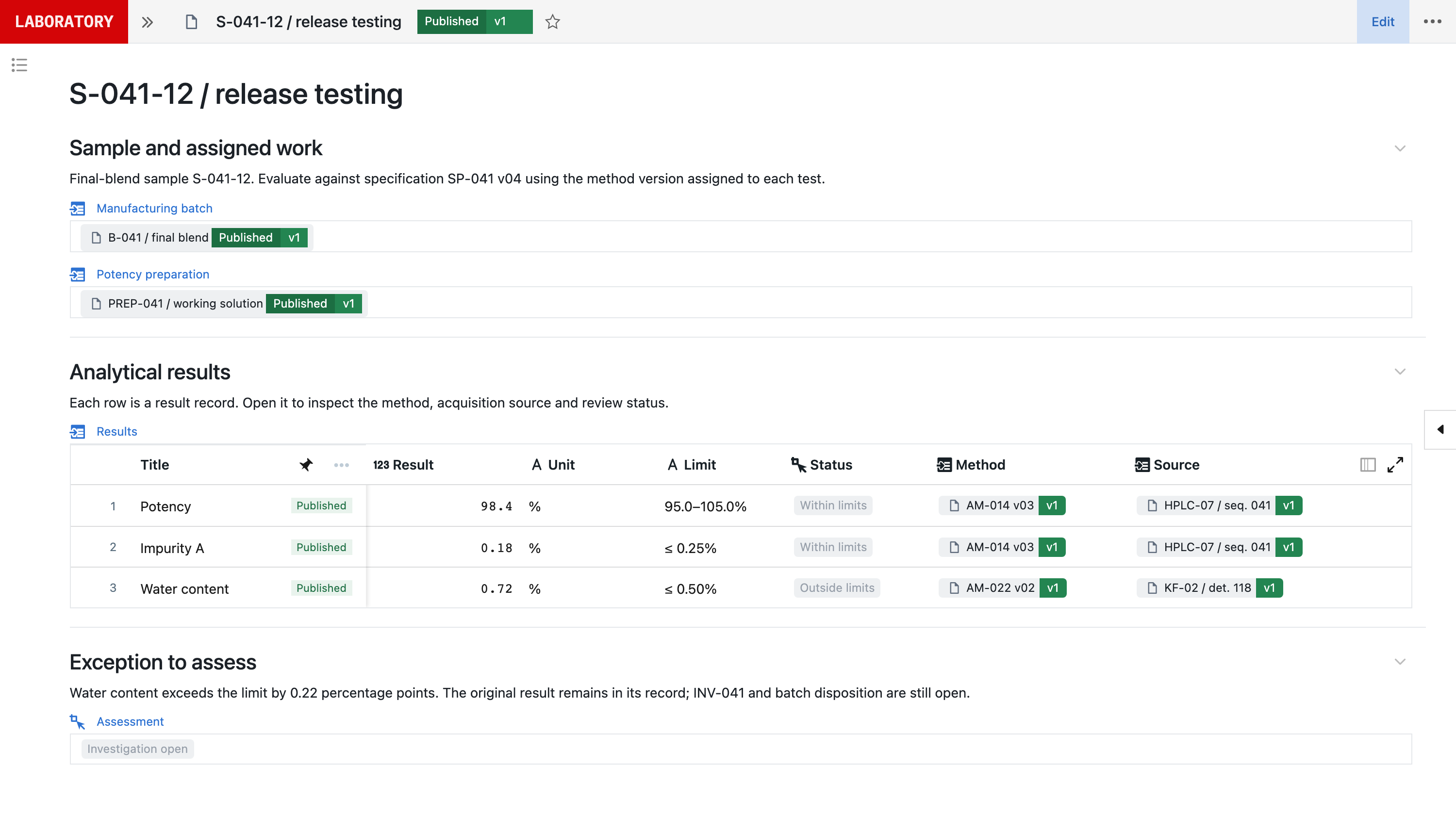
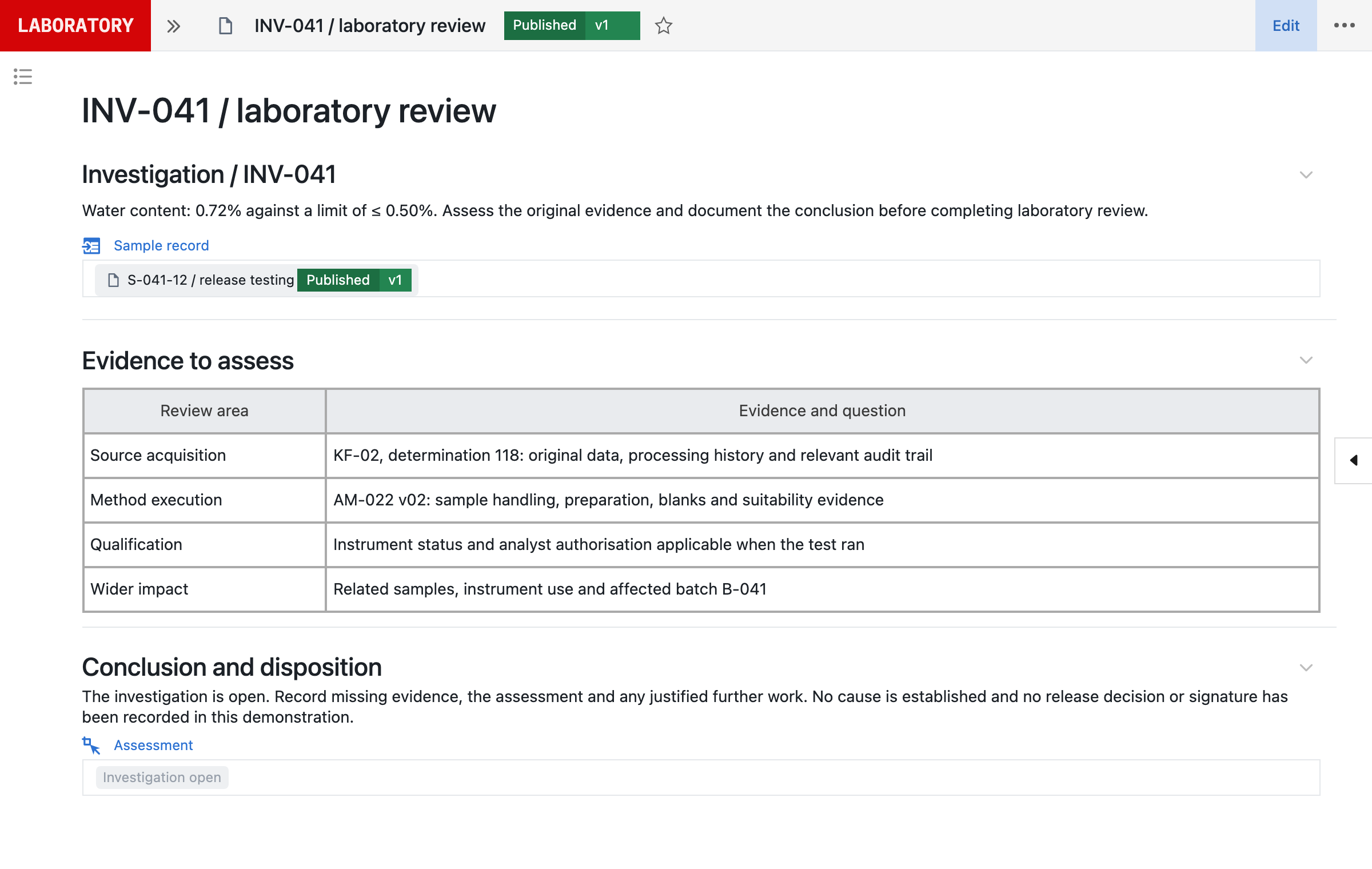
Yes. OpenLab ECM XT is designed to store lab files securely, with the detail of each change left to the application that wrote it. Seal captures the original files with Seal Edge and links each acquisition to the sample, batch and investigation it supports, on the same platform as the LIMS, batch records and quality system. Completeness is checked by file role, reprocessing is kept as derived records, and capture changes are released with their verification.
Is Seal an SDMS?
Yes. Seal keeps original instrument files with their audit trails, checks each acquisition for its required files, keeps reprocessed results as derived records linked to the original, and connects each acquisition to the sample, batch and investigation it supports.
Can Seal work alongside Agilent OpenLab ECM XT?
Yes. Seal’s Agilent connection collects results exported from OpenLab CDS with Seal Edge, and Seal’s REST API and Scripts can connect OpenLab ECM XT, which has no dedicated Seal connector. Start with read access and agree which system owns each record.
Does Seal replace OpenLab CDS?
No. OpenLab CDS acquires and processes chromatography data, and it stays in place. Seal Edge collects the results it exports, and a Seal Script maps them to sample and experiment records. Available exports depend on the installed software and its configuration.
Does OpenLab ECM XT run in the cloud?
Agilent supports it on AWS and Azure in a hybrid model: acquisition stays on premises, the server and storage can run in the cloud, and your team designs the virtual private cloud that holds them. Agilent’s 2.7 release notes said cloud deployments required a Software Maintenance Agreement, and its 2025 cloud overview says Agilent offers installation services and maintenance agreements for the standard cloud configuration.
How long does it take to start with Seal?
Once the scope is agreed and the inputs received, Seal prepares a first working process and its validation pack to evaluate within 48 hours, configured from one of your procedures. Production timing then depends on scope, interfaces, migration and your release requirements.
References6 sources
References
- 1Support for Title 21 CFR Part 11 and Annex 11 Compliance: Agilent OpenLab Server and OpenLab ECM XT, white paper for version 2.8 (5994-3228EN), Agilent Technologies; Agilent’s own document, read as the copy LabRulez hosts. https:/
/ labrulez. com/ pdf/ wp_ cfr_ part_ 11_ compliance_ openlab_ server_ ecm_ xt_ 5994_ 3228en_ agilent_ 236fcf13db. pdf (read 20 November 2026) - 2Agilent OpenLab Data Management Solutions (5994-1433EN), Agilent Technologies, October 2019; Agilent’s own document, read as the copy LabRulez hosts. https:/
/ labrulez. com/ pdf/ data_ management_ solutions_ openlab_ 5994_ 1433en_ us_ agilent_ 8931a5823d/ data- management- solutions- openlab- 5994- 1433en- us- agilent. pdf (read 20 November 2026) - 3OpenLab Server and ECM XT Revision 2.7 Release Notes (D0013944), Agilent Technologies, May 2022, hosted on Agilent Community. https:/
/ community. agilent. com/ cfs- file/ _ _ key/ docpreview- s/ 00- 00- 01- 21- 03/ ECM_ 5F00_ XT_ 5F00_ v2. 7_ 5F00_ ReleaseNotes_ 5F00_ en. pdf (read 20 November 2026) - 4Deploying OpenLab in the Cloud, technical overview (5994-3567EN), Agilent Technologies, May 2025; Agilent’s own document, read as the copy LabRulez hosts. https:/
/ labrulez. com/ pdf/ te_ openlab_ cloud_ deployment_ 5994_ 3567en_ agilent_ e6fc610e67. pdf (read 20 November 2026) - 5Agilent Technologies Signs Agreement to Acquire Scientific Software Inc., Agilent Technologies, 25 May 2005. https:/
/ www. investor. agilent. com/ news- and- events/ news/ news- details/ 2005/ Agilent- Technologies- Signs- Agreement- to- Acquire- Scientific- Software- Inc/ default. aspx (read 20 November 2026) - 6OpenLab Server and OpenLab ECM XT version 2.8 Feature Pack 1 is Available, Agilent Community, Agilent Technologies. https:/
/ community. agilent. com/ technical/ data- management/ b/ announcements/ posts/ openlab- server- and- openlab- ecm- xt- version- 2- 8- feature- pack- 1- is- available (read 20 November 2026)