Summary
- The problem
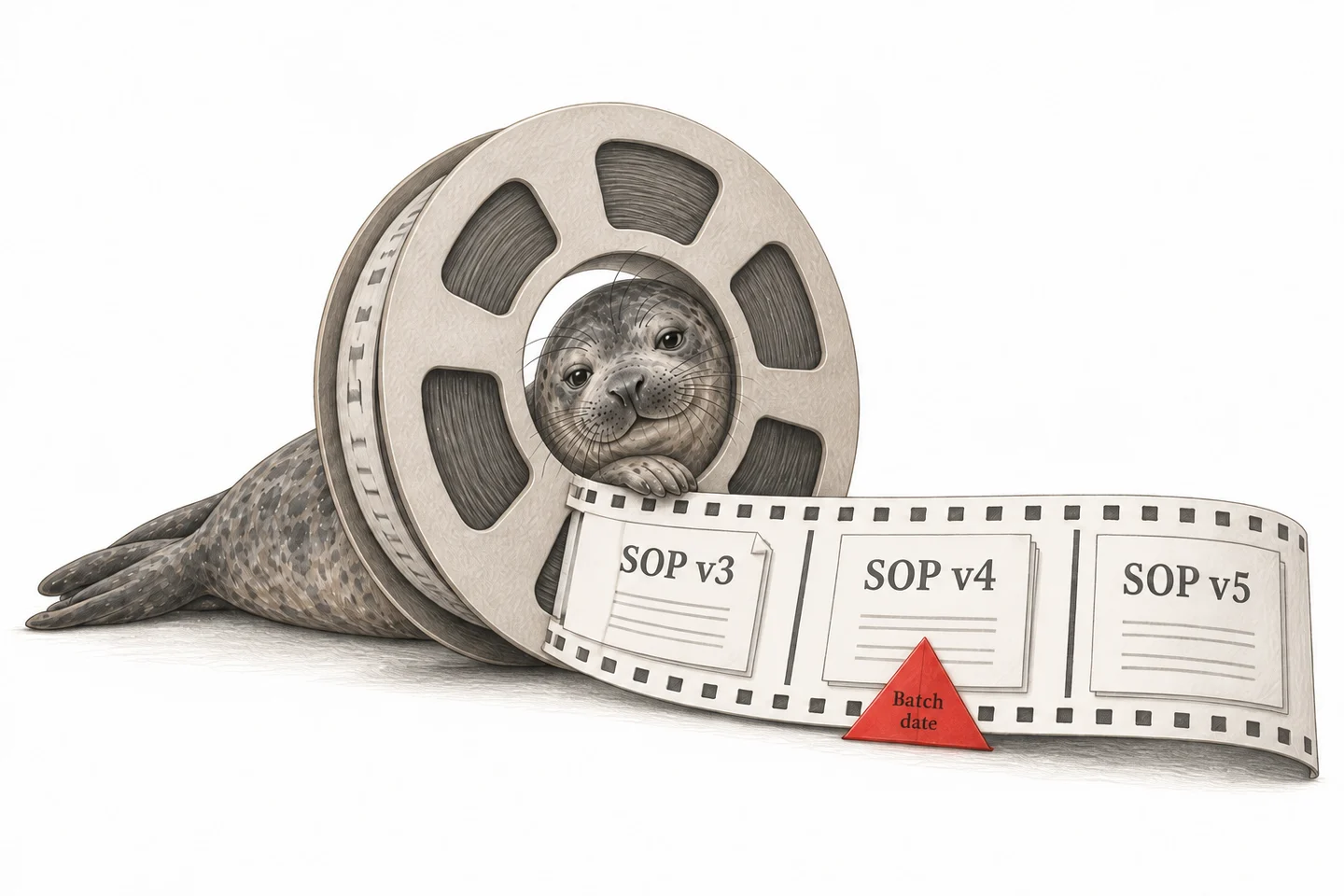
- A procedure is approved, but a superseded copy stays at the point of use and training records still show people as current on the old version.
- Seal’s approach
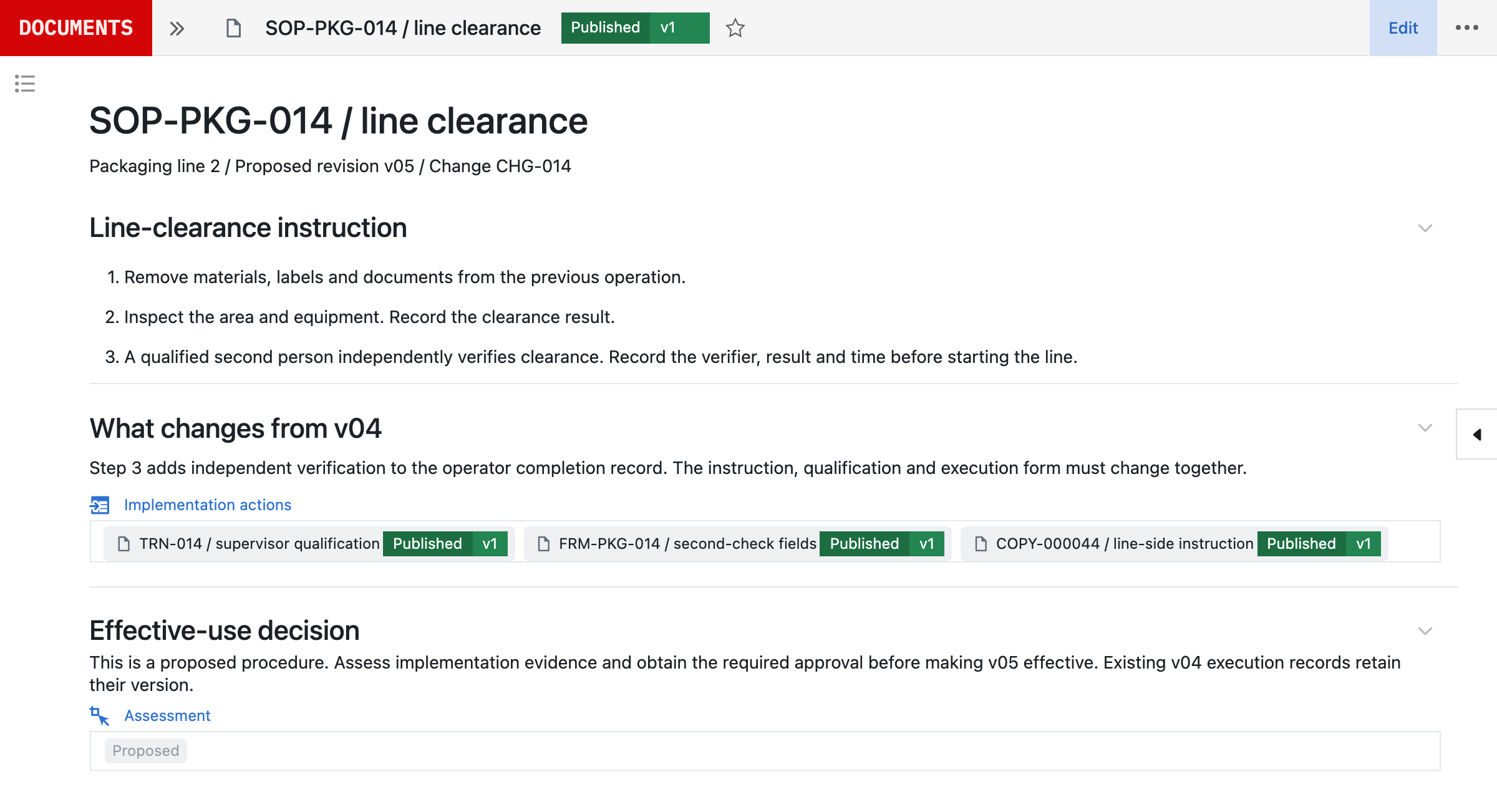
- Requests, review, approval, change impact, training, effective dates, controlled copies and supersession are one governed workflow. A revision identifies the affected roles and can gate the work that depends on it.
- Evidence
- Bioventix: 80% less document admin time. Acclinate: 50% shorter quality cycle times and 40% less time preparing for audits.
- Where to start
- One procedure family and its forms, followed through approval, training and effectiveness. Book a demo.
1An approved procedure must reach the point of use.
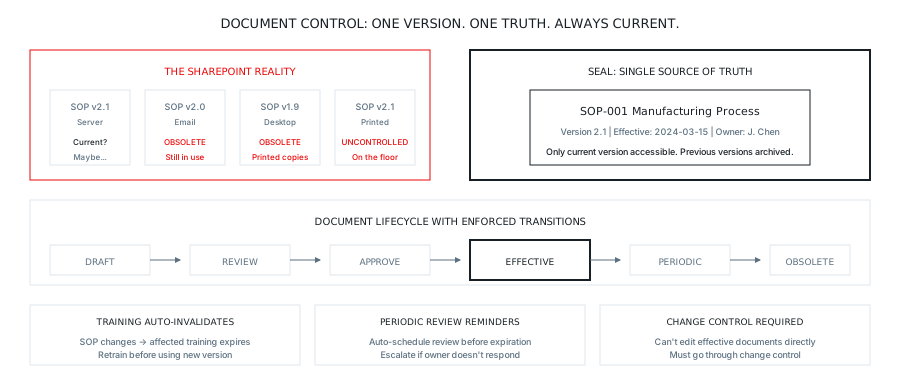
Consider an operator who opens a procedure at the start of a shift. The copy of Procedure-017 in the clean room is version 3.1, printed and laminated last month, and it says to add Excipient B at 45°C. Version 3.2 was approved three weeks ago and changed the window to 42°C on the basis of process data. The new version is on the shared drive and an announcement was emailed, but the copy at the point of use was never replaced.
The approval was correct and the work still followed the wrong instruction. Document control has to govern the whole path from a request to change a document to the instruction people actually use, and to the record of who was qualified to use it.¹
2File names and emails do not establish the effective version.
SOP_
The same gap appears between approval and training. Version 3.2 is approved, but the people trained on version 3.1 still show as current, because the training record does not know the procedure changed.
2.1Why teams choose Seal for document control
Document control is often a file repository, email announcements and a training spreadsheet, so the approved version and the copy at the point of use can quietly differ. The document, its approval, the training it requires and the work that uses it are connected. A revision can identify the affected roles, assign the training through a configured automation and, where configured, govern whether a person may perform the step that depends on it, so the instruction in force is the one the work follows.
| Files, email and a training spreadsheet | Seal | |
|---|---|---|
| Current version | Inferred from file names and announcements | One effective version per document, with history retained |
| Training after a revision | A separate update, if someone remembers | Affected roles identified from the change, with a configured automation assigning training linked to the new version |
| Point of use | Printed copies that may be out of date | Configured to serve the effective version; controlled copies tracked and reconciled |
| Evidence for an audit | Assembled from several systems | Approval, training and distribution history on the same record |
3Approval and training are connected.
Procedure-042
v2v3
47 trained on v2
Retraining assigned
When Procedure-042 moves from version 2 to version 3, a configured automation can identify the people trained on version 2, mark that training as superseded for the new version and assign the required retraining. Where the workflow is configured with a training prerequisite, a person without the current qualification cannot complete the step that depends on it.
Not every revision needs the same response. The change record decides whether it requires no training, awareness, read-
4Each document has one effective state.
Each version of a document moves from draft through review and approval to effective, and is later superseded by the next effective version or retired with the document. Approval alone does not make a version effective. Search and point-of-use views are configured to serve the effective version. Version history keeps every change, comparisons show what differs between versions and signature records show who approved each version, when and with what meaning.² The history is complete, and the current state is not ambiguous.
Form FRM-001 v2.0
- Operator
- Empty
- Batch
- Empty
- Started
- Empty
- Result
- Empty
Record REC-B-047
- Operator
- J. Chen
- Batch
- B-047
- Started
- 15 Mar, 06:12
- Result
- Yield 98.5%
- Form
- FRM-001 v2.0
Signed and locked
Forms work the same way. Form FRM-001 version 2.0 is a controlled template. When an operator completes it for batch B-047, the result is a record that retains the form version, the person, the time and the data. Once approved, the record is protected from change, and completed records become searchable data rather than PDFs in folders.³
5Requests, authorship and review are part of the record.
A change starts with a request: a new document, revision, correction, translation, consolidation, retirement, temporary instruction or emergency change. The request retains its source, the problem it addresses, proposed scope, affected sites and products, urgency and approval to proceed. Rejected and deferred requests stay searchable, so the same concern does not disappear into email.
The document type determines the required metadata, sections, review disciplines, signature meanings, training expectation, retention and periodic-review policy. Authors can collaborate while drafts, comments and accepted changes remain distinct from the approved record.
Reviewers receive the relevant scope and the change delta. Each comment keeps its location, severity, proposed resolution, response and disposition. Configure approval so that an unresolved critical comment blocks it.
6Change impact connects the instruction to operations.
A procedure rarely changes alone. The impact assessment draws on the records that reference the procedure to propose the affected forms, specifications, methods, recipes, equipment, roles, validation and filings, and accountable reviewers confirm the list. It then defines the implementation tasks, training, cutover and any restriction on using existing stock or templates.
Approval and effectiveness are separate gates. Approval confirms the content and readiness to implement. The effective date is when the new version becomes the instruction in force, coordinated with training, configuration, form deployment, controlled-copy exchange and translations. If implementation is delayed, the approved version waits with its reason recorded instead of appearing effective early.
Emergency changes follow a controlled exception path: a narrow scope, abbreviated review, named approvers, an expiry and a retrospective assessment. A temporary instruction cannot remain active indefinitely.
7Distribution, periodic review and retirement keep the state accurate.
Electronic access, controlled prints, posted copies and external distribution retain the recipient or location, version, copy identifier and issue date. Printed copies carry the document ID, version and print date, and holders of outstanding copies are notified when a revision is issued. Uncontrolled reference copies are visibly marked and are not used as point-of-use instructions.
Where procedure or policy requires periodic review, the interval, reminders and escalation belong to the document record. The review draws on deviations, audit findings, CAPAs, changes and user feedback, and ends in a recorded decision: continue, revise, consolidate, replace or retire.
At effectiveness, the prior version becomes superseded, point-of-use views and execution templates switch, and outstanding copies are reconciled. Exceptions remain visible as holds or follow-up actions. A retired document keeps its content, approvals, signatures, audit trail and distribution history for the retention period.⁴
8Show the instruction in force on any date.
For a given date and activity, the connected records show the instruction in force, its approval, implementation and training status, distributed copies, linked templates and exceptions, and who was qualified to do the work. That is the evidence behind a controlled process, rather than a PDF with a signature page.
Document control is the quality workflow: why content changes, who challenges it, what is affected, when it takes effect, who must be trained and whether implementation is complete. The DMS is the foundation for content, files, metadata, search, permissions, records and archival. Seal composes the workflow with that foundation rather than duplicating it.
Start with one procedure family and its forms. Bring an existing revision, map it to the roles it affects and follow it through approval, training and effectiveness before extending the workflow.
References
- 121 CFR 211.100, Written procedures; deviations: production and process control procedures must be approved by the quality control unit, followed and documented at the time of performance, and any deviation recorded and justified. eCFR
- 221 CFR 11.50, Signature manifestations: signed electronic records must show the printed name of the signer, the date and time of signing, and the meaning of the signature (such as review, approval, responsibility or authorship). eCFR
- 3EudraLex Volume 4, Part I, Chapter 4, Documentation (2011), sections 4.8 to 4.10: records should be made at the time each action is taken, alterations should be signed and dated and permit reading of the original information, and secure controls must ensure record integrity throughout the retention period. European Commission
- 421 CFR 211.180, General requirements: batch records must be retained for at least one year after the batch expiration date, and records must be maintained so they can be used to evaluate the quality standards of each product at least annually. eCFR
AConnected across Seal
BCapabilities
| Capability | What it covers |
|---|---|
| Version control | Each save creates a version with its history retained. Compare any two versions side by side instead of managing file names. |
| Approval workflows | Configure review and approval chains by document type, including reviewers, approvers and order. Electronic signatures record the signer, date, time and meaning. |
| Controlled distribution | Configure search and point-of-use views to serve the effective version. Superseded versions are retained and marked; controlled copies are tracked and reconciled. |
| Periodic review | Hold the review interval on the document record, with reminders before it falls due and escalation when it is overdue. |
| Training integration | A revision identifies the affected roles, and a configured automation assigns training linked to the new version. Where configured, a training prerequisite governs the dependent step. |
| Full audit trail | Edits, approvals, signatures and distribution are recorded against the document, showing who did what and when. |
| QMS migration | Import documents from an existing document system, shared drives or paper, with version history where it exists. Establish controlled baselines and document types before go-live. |
| AI document drafting | Generate first drafts from templates and requirements. Drafts go through the same review and approval as any other revision. |
CConnected records
DQuestions and answers
How do you handle documents in draft?
Drafts stay separate from the effective version, and who can see or edit them is configured by System and role. They go through your configured review workflow before becoming effective. The previous version remains in force until the new version is formally approved and effective.
Can we import existing documents?
Yes. Documents can be imported from Word, PDF or an existing document management system. Each imported document is established as a controlled baseline with its document type and workflow configured.
What about documents that don’t need approval?
Controls are set by document type. Some types need several approvers; others only need acknowledgement. Configure each workflow to match the requirement for that type.
How do you handle obsolete documents?
Obsolete documents are retained, not deleted, and are clearly marked as superseded. They remain available for historical reference, while search is configured to show current versions by default.
Can external parties access documents?
Yes. You can grant controlled access to auditors, partners or customers. They see only what you share, and their access is recorded.
How does periodic review work?
Each document type can carry a review interval, such as annual for procedures. Seal records when each document was last reviewed, reminds owners before review is due and escalates overdue reviews through the path you define.
How do you handle forms and records?
Form templates are version-controlled documents. A completed form becomes a record linked to the form version used, and it is protected from change once approved. Later notes are added alongside the original entries, and completed records are searchable.
What about multi-site organisations?
Documents can be organised as global, regional or site documents. A site procedure can reference the global standard it implements, and a change to a global document can identify the site documents that depend on it for review.
How do you control printed documents?
Controlled prints record who printed, when and how many copies, and carry the document ID, version and print date. When a revision is issued, holders of outstanding copies are notified to exchange them. Where practical, an electronic point-of-use view reduces the need for printed copies.