QMS. EBR. MES. ELN. LIMS. One platform. Validated as it changes.
Seal runs lab, manufacturing and quality work on one record, configured from your procedures. Every change runs its tests before your team releases it.
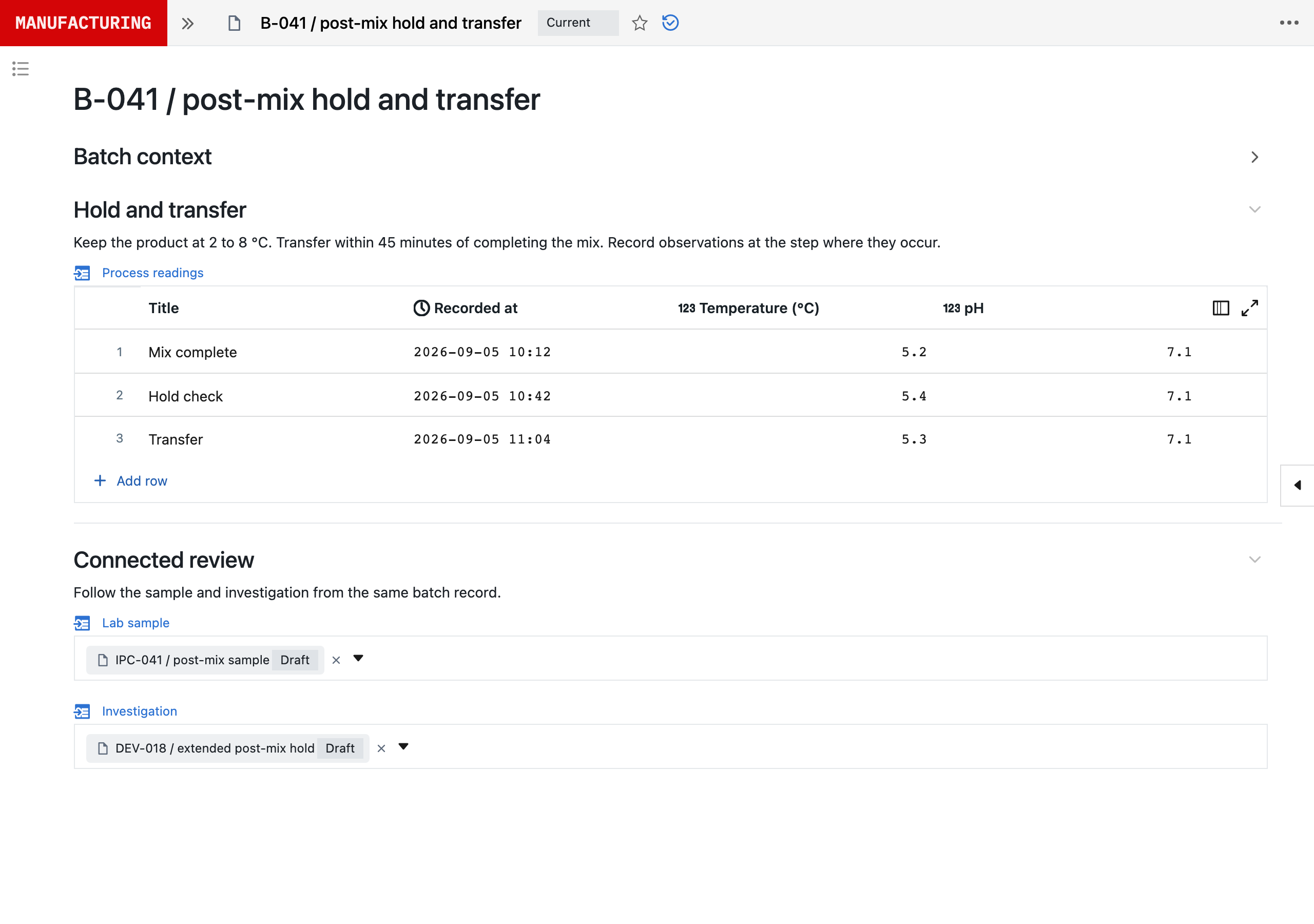






Where the work runs, not where it is filed.
With a separate LIMS, MES and eQMS, people carry the evidence and every change between them. Seal runs the work itself.
| Compared on | Separate systems | Seal |
|---|---|---|
| Where it sits | Beside the work | In the work, or reading it directly |
| Across departments | A system each, joined by people | One ontology, linked records |
| Evidence | Exports gathered by hand | Links to the batch, sample and version |
| A finding | A document and a training task | A control in the workflow |
| Change after go-live | A revalidation project | A controlled change with its tests |
| AI | Text to paste elsewhere | Neil proposes a configured change |
| Getting started | An implementation project | A 48-hour evaluation |
Every GxP system, one platform.
Each starts from a blueprint you adapt to your procedures. Start with one, then add the next to the same record.
MiAlgae cuts documentation time by 75%.
MiAlgae moved its ELN, quality processes and batch records into Seal as it scaled from lab to commercial production.

Validated, not frozen.
Every change runs its tests. Failures stay on the record; your team releases the version that passes.
v04, clause 7.2
Transfer within 45 minutes of completing the mix. Record both events against the batch.
v05, configured step
- Capture
- Both times, required
- Calculate
- Hold in minutes
- Route
- Over 45 min, to assessment
| Test | Input | Expected | v05-a | v05-b |
|---|---|---|---|---|
| TC-01 | 44 min | Within the limit | Passed | Passed |
| TC-02 | 45 min | Within the limit | Passed | Passed |
| TC-03 | 46 min | Sent to assessment | Passed | Passed |
| TC-04 | No start time | Cannot complete | Failed | Passed |
| TC-05 | No authority | Cannot bypass review | Not run | Not run |
v05-a’s failed run is kept as ANOM-006. B-041 keeps v04 until your team releases v05.
Keep the systems you rely on.
Seal reads your ERP, Veeva and lab systems where they are, so you move work over when you are ready.
| Where the work runs | What Seal uses | Connections include |
|---|---|---|
| ERP | Materials, lots and suppliers | SAP, NetSuite, Oracle Fusion, Dynamics 365 |
| LIMS | Samples, tests and results | LabWare, LabVantage, SampleManager |
| MES and process data | Batch steps and process values | Tulip, Emerson DeltaV, AVEVA PI |
| Documents | Procedures and their versions | Veeva Vault, SharePoint |
| An existing eQMS | Deviations, CAPAs and changes | Veeva Vault QMS, MasterControl, ETQ Reliance |
| Training | Courses and transcripts | Cornerstone, Docebo |
| Equipment | Calibration and maintenance | Blue Mountain RAM, IBM Maximo |
Ready for your quality and IT review.
Neil proposes. People sign. Seal keeps both with the record.
- ProposedNeilHold limit 45 → 30 min, from 8 runs
- TestedSeal12 of 12 passed on v05
- SignedQA reviewerMeaning: approved
- ReleasedQA reviewerv05 is current; RUN-218 follows it
- SOC 2 Type 2
- Audited by an independent firm
- Part 11 and Annex 11
- Audit trail and e‑signatures
- GAMP 5, Second Edition
- Every change specified and tested
- Your data
- Not used to train AI models
Before you start.
Is Seal a LIMS, an MES or a QMS?
Seal covers LIMS, ELN, MES and QMS on a shared ontology: defined record types and relationships across your operations. A batch links to its samples, results and quality events. Start with the processes you need and extend the same model as you add more work. Find a GxP blueprint.
Can we change the system after it is validated?
Yes. Continuous validation means managing the validated state through change, not freezing the configuration. Keep the reason for the change, affected requirements, updated specifications, verification results and approvals together in Seal. Assess the impact and risk to determine the assurance needed. Automated checks support that assessment; they do not replace accountable review or any additional UAT your intended use requires. Read about continuous validation.
Do we need to replace our existing systems?
No. Start with a defined job and the records it needs. Neil can work with connected systems; processes you choose to run in Seal can be introduced in stages. Agree which system owns each record, what can be read or written and how the connection will be verified. See the integrations.
What does Neil do, and what does our team control?
Neil investigates results, configures proposed workflows and drafts reports, specifications and tests from the records it can access. Your team reviews the results and controls process and batch release. In line with the EU’s draft GMP Annex 22, Neil is not used in GMP execution. See Neil at work.
Where is our data hosted, and is it used to train AI?
Seal agrees the hosting region at onboarding and confirms the AI provider, processing location, retention and model terms for your organisation during onboarding and supplier review. Under Seal’s agreements, customer data is not used to train AI models; the records Neil uses as working context are not training the underlying model. Review the AI and data controls.
How quickly can we evaluate our own process?
Once we agree the evaluation scope and receive the required inputs, we prepare the first working process and supporting validation pack within 48 hours. The pack includes source traceability, recorded test results and configuration history. Your team can execute the process and inspect its records. Production release follows your intended-use assessment and quality controls.
What do we need to share to get started?
A short outline of the work and a work email are enough for the first conversation. For a process evaluation, we agree the scope with its owner and use a representative procedure, batch record or form. You can start with a sample, or arrange an NDA before sharing your own material.
See your process in Seal.
Bring an SOP or a batch record. Within 48 hours of agreeing the scope, it’s a working process in Seal, with its validation pack.
- 1Apheresis
- 2Selection
- 3Activation
- 4Transduction
- 5Expansion
- 6Harvest
- 7Formulation
- 8Cryopreservation
Step 4 of 8 · SOP-MFG-021 §6.4
Transduction
Add vector at an MOI of 4 to 6 within 2 hours of activation.