Summary
- The story
- SampleManager is good for the QA and QC laboratory. By 2003 it had over 1,100 systems installed across manufacturing, chemicals, pharmaceuticals, food and water,⁷ and Thermo puts its history at about 40 years.¹ Its model centres on the sample and its tests,³ connected to ERP and MES rather than containing manufacturing.² Thermo says it meets your workflows “Through configuration, not customization”,³ yet it teaches project teams to map their laboratory onto its functionality in a five-day course, and its own programming language, VGL, in another.⁸⁹ Its AI agent, the Autonomous Test Revisor, analyses sample quality within that sample lifecycle.⁴ If your laboratory runs the same methods for years, it can work well. That is rare, and rarer now that the work changes so fast.
1What SampleManager offers.
SampleManager is Thermo Fisher Scientific’s LIMS for process development and manufacturing QA and QC laboratories, connecting to ERP and MES systems.² It covers sample management and chain of custody, inventory, instrument status and maintenance, statistical quality control and reporting, with built-in SDMS, ELN and LES functions and preconfigured versions for pharma QA/QC, food and beverage, refineries, biorepositories and environmental monitoring.²³
Thermo’s Data Analytics Solutions add AI: an Autonomous Test Revisor, described as a “Quality Control Analyst AI Agent” that analyses sample quality “without user intervention”, and models that predict sample results and trends.⁴
2Running Seal alongside SampleManager.
Teams move to Seal one workflow at a time, with SampleManager connected read-only until the move is complete. Seal’s SampleManager connection reads approved REST resources and passes the JSON to your Seal Scripts; it does not write to the LIMS. File Sweeper and instrument collection are separate interfaces.
Ask the SampleManager administrator for the supported REST resource, its authentication and a read-only account scoped to the intended laboratory. In Seal, open Settings → Integrations → Thermo Scientific SampleManager, enter the narrowest approved HTTPS prefix, a test resource and the authentication header, then select the resources to share. Supported headers are Authorization, X-API-Key and apikey; cookies, SOAP or a private address need an approved gateway. A successful test shows connectivity and readable JSON, not analytical correctness, so compare representative responses with SampleManager before mapping them.
Once connected, Neil can collect a selected sample’s results and the available instrument references for an investigation, compare supplied instrument outputs with recorded results, units and identifiers, and assemble the laboratory records a batch review needs. Any write-back to SampleManager is a separate integration with its own controls; the LIMS integration guide sets out the checks.
3Moving from SampleManager to Seal.
Start with one workflow and expand from there.
- Choose one release test, incoming-inspection workflow or stability study whose results should reach batch review directly.
- Bring the method, a redacted specification, a representative result and the instrument export it came from. Start with sample material, or arrange an NDA before sharing confidential records.
- Neil proposes the workflow from the approved method and specification, and your team checks it against the source. Once the scope is agreed and the inputs received, Seal prepares the first working process and its validation pack to evaluate within 48 hours. Production timing then depends on scope, interfaces, migration and your release requirements.
- Connect one source: SampleManager read-only for the samples and results the workflow needs, or the instrument export through Seal IoT.
- Agree which system owns each record during the transition, how identifiers map and what must reconcile. Evaluate historical records, original files, versions and review status before deciding what to migrate; raw data and work outside the scope stay in SampleManager.
The LIMS blueprint and the scientific data blueprint describe the laboratory and capture workflows in detail.
References
- 1SampleManager LIMS ソフトウエア, Thermo Fisher Scientific K.K. on IPROS. https:/
/ pr. mono. ipros. com/ thermofisher/ product/ detail/ 2000793701/ (read 5 November 2026) - 2SampleManager LIMS Software, Thermo Fisher Scientific. https:/
/ www. thermofisher. com/ us/ en/ home/ digital- solutions/ lab- informatics/ lab- information- management- systems- lims/ solutions/ samplemanager. html (read 5 November 2026) - 3SampleManager LIMS, SDMS, LES and ELN software: a complete laboratory solution (BR1009-EN0325), Thermo Fisher Scientific, 2025. https:/
/ assets. thermofisher. com/ TFS- Assets/ DSD/ brochures/ SampleManager- LIMS- Brochure- 2025- EN. pdf (read 5 November 2026) - 4Data Analytics Solutions for SampleManager LIMS Software, Thermo Fisher Scientific. https:/
/ www. thermofisher. com/ us/ en/ home/ digital- solutions/ lab- informatics/ data- analytics- solution. html (read 5 November 2026) - 5Laboratory Information Management Systems (LIMS) Implementation, Thermo Fisher Scientific. https:/
/ www. thermofisher. com/ us/ en/ home/ digital- solutions/ lab- informatics/ lab- information- management- systems- lims/ implementation. html (read 5 November 2026) - 6Digital Science Education Services: course offerings, Thermo Fisher Scientific. https:/
/ resource. digital. thermofisher. com/ education/ (read 5 November 2026) - 7Thermo Electron Delivers SampleManager 2003 LIMS, Thermo Electron via LIMSforum, 24 July 2003. https:/
/ www. limsforum. com/ thermo- electron- delivers- samplemanager- 2003- lims/ 47986/ (read 5 November 2026) - 8Data Configuration in SampleManager, 5 Days, Thermo Fisher Scientific Digital Science Education. https:/
/ resource. digital. thermofisher. com/ education/ course. aspx?c=aGD4z0000004EYJGA2 (read 5 November 2026) - 9VGL for SampleManager, 5 Days, Thermo Fisher Scientific Digital Science Education. https:/
/ resource. digital. thermofisher. com/ education/ course. aspx?c=aGD4z0000004EYRGA2 (read 5 November 2026)
AQuestions and answers
Is Seal better than SampleManager?
Yes. SampleManager is good for the QA and QC laboratory. By 2003 it had over 1,100 systems installed across manufacturing, chemicals, pharmaceuticals, food and water, and Thermo puts its history at about 40 years. Its model centres on the sample and its tests, connected to ERP and MES rather than containing manufacturing. Thermo says it meets your workflows “Through configuration, not customization”, yet it teaches project teams to map their laboratory onto its functionality in a five-day course, and its own programming language, VGL, in another. Its AI agent, the Autonomous Test Revisor, analyses sample quality within that sample lifecycle. If your laboratory runs the same methods for years, it can work well. That is rare, and rarer now that the work changes so fast. Seal has no fixed model of one kind of work. It is built from primitives: record types, the relationships between them, and the steps and checks that use them, which your own team composes into your process, with Neil able to prepare each change for approval. So one platform runs process development, the laboratory, manufacturing, batch release and the quality system, and each change becomes a new version, released once its selected tests pass, while earlier runs keep theirs. Moving from paper, Bioventix put its quality system and lab records on Seal and cut document admin time by 80%.
Is Seal a LIMS?
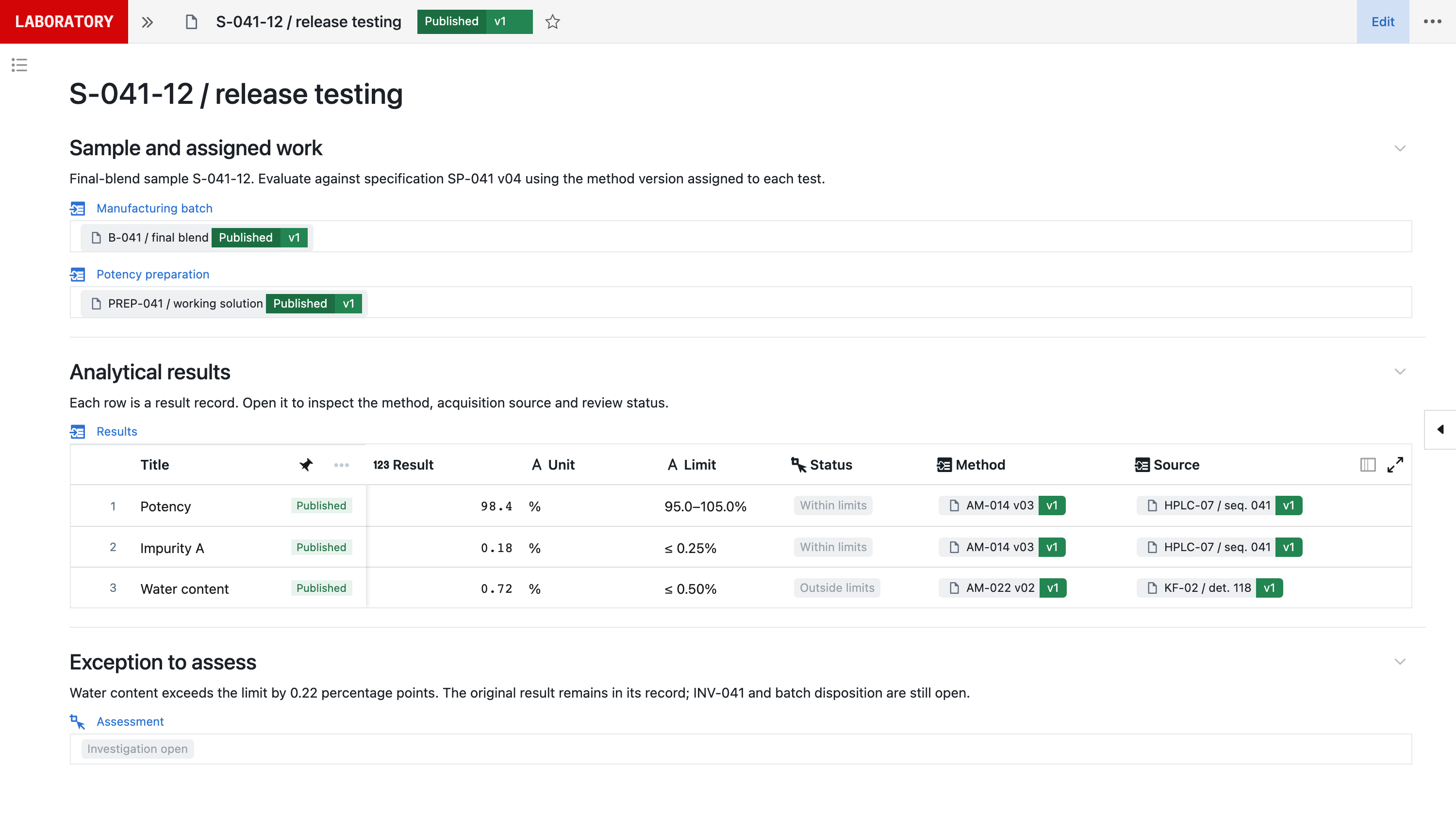
Yes. Seal covers sample management, specifications, analytical methods, stability, environmental monitoring and microbiology, OOS and OOT investigations, reference standards, instrument data and certificates of analysis, on the same records as batch records and the quality system.
Is Seal an alternative to SampleManager LIMS?
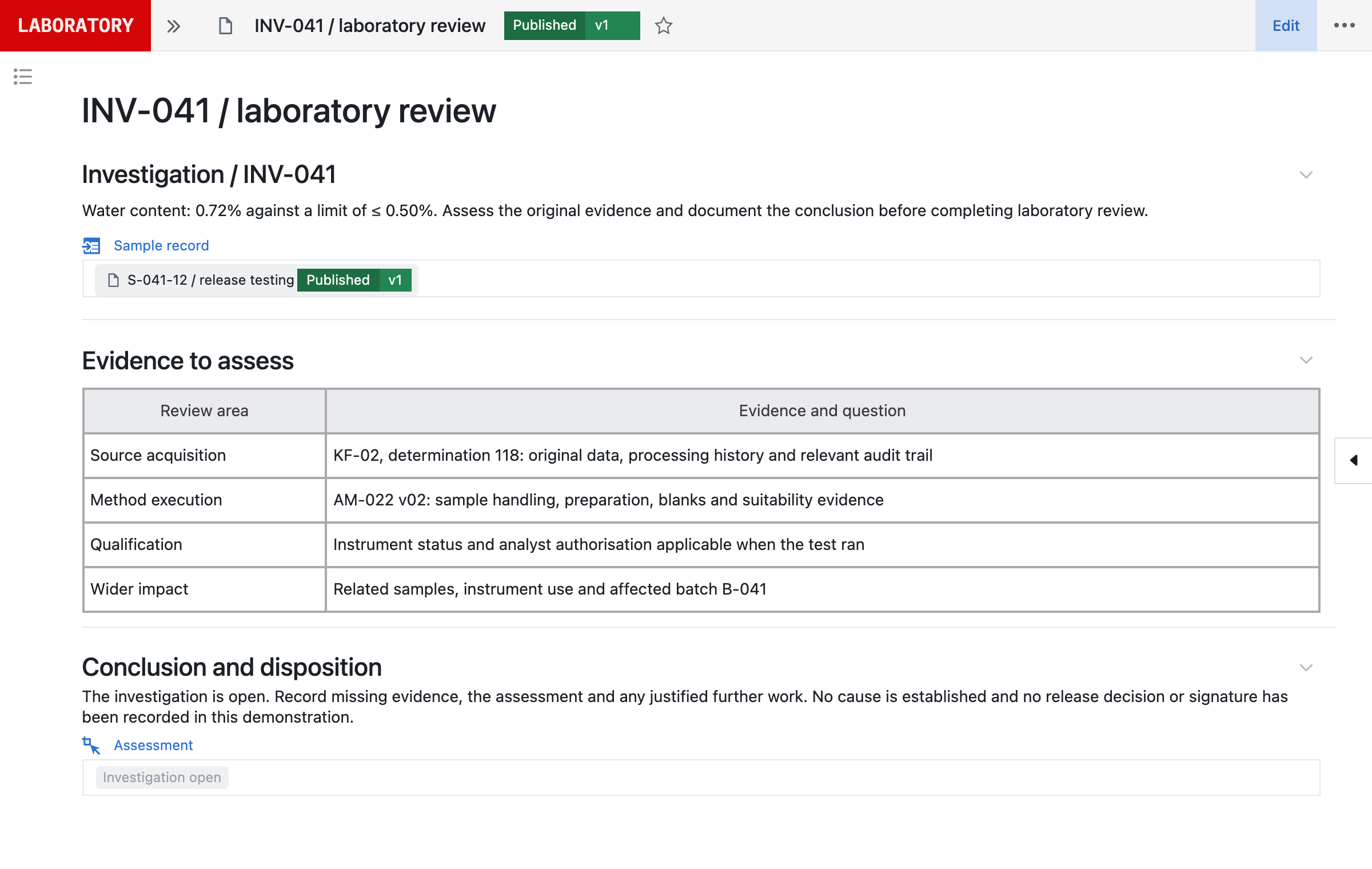
Yes. SampleManager is designed for the QA and QC laboratory. Seal covers the QC laboratory SampleManager runs, configured by your own team from your methods and procedures, with no VGL or C# to learn, and adds what SampleManager connects to elsewhere: batch records and the quality system, on the same records. A result keeps its instrument file, preparation, method and specification version, and an outside-limit result opens an investigation linked to the batch.
How does SampleManager’s AI compare with Neil?
Thermo Fisher’s Data Analytics Solutions for SampleManager include the Autonomous Test Revisor, a QC analyst AI agent that analyses sample quality within the sample lifecycle, and models that predict sample results and trends. Neil prepares changes to the process itself, with their tests, for your approval, and each change is released as a new version. Neil is not used in GMP execution.
Can Seal read data from SampleManager?
Yes. Seal’s SampleManager connection reads approved REST resources configured in your SampleManager release and passes the JSON to Seal Scripts. It does not write to the LIMS, and File Sweeper and instrument collection are separate interfaces.
Does SampleManager run batch records or quality events?
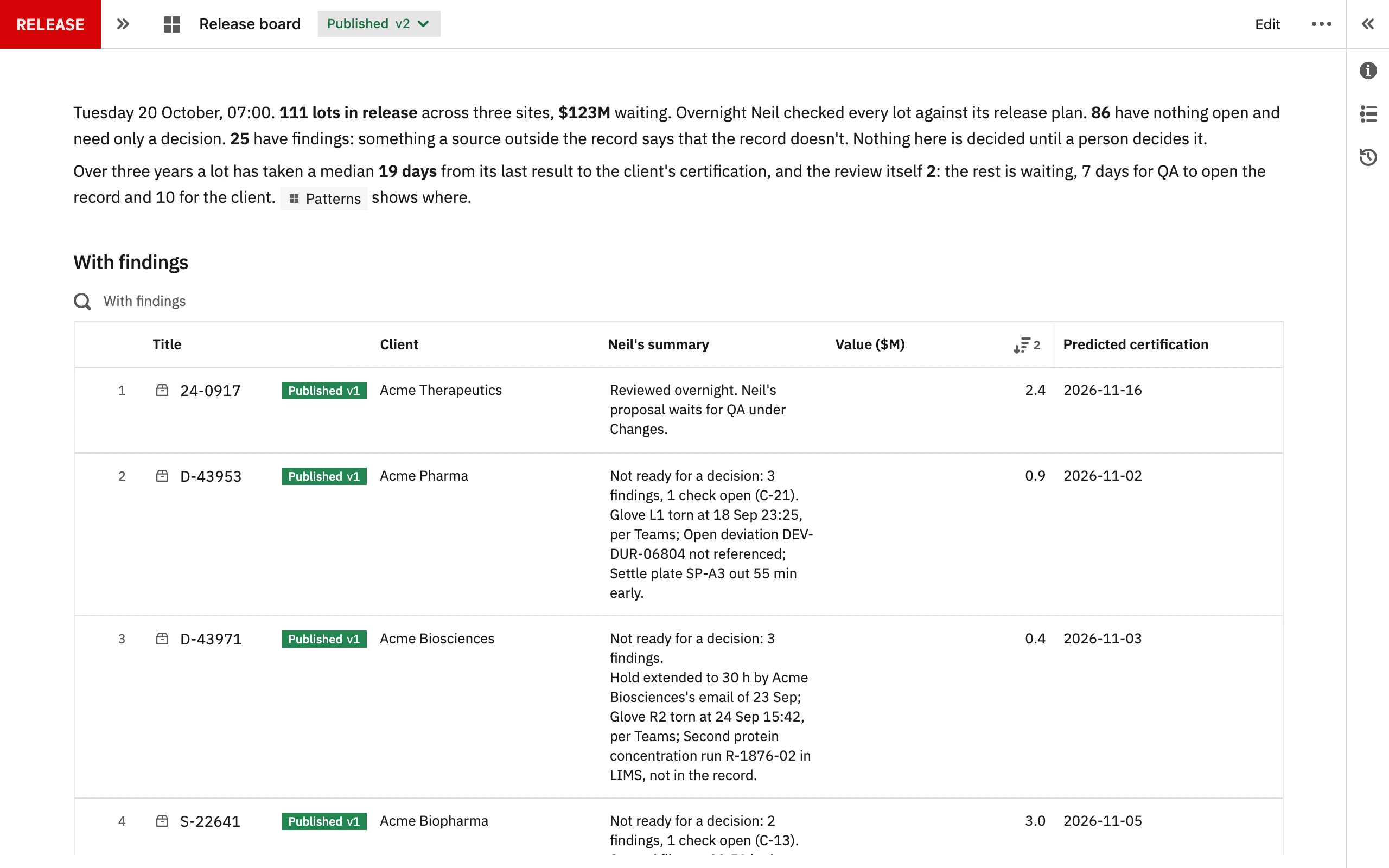
SampleManager is designed for the QA and QC laboratory. Thermo Fisher describes it as connecting to ERP and MES systems, and its product page describes no deviation, CAPA or change control workflows. In Seal, batch records, deviations, CAPA and change control run on the same records as the laboratory result.
How long does it take to start with Seal?
Once the scope is agreed and the inputs received, Seal prepares a first working process and its validation pack to evaluate within 48 hours, configured from one of your methods or procedures. Production timing then depends on scope, interfaces, migration and your release requirements.
Do we have to move our SampleManager raw data to Seal?
No. SampleManager can stay the record for historical results and the raw data in its SDMS, connected read-only where a Seal workflow needs it. Agree which system owns each record, how identifiers map and what must reconcile before moving anything.