Summary
- The story
- Veeva Vault QualityDocs is good for GxP document management. Veeva was founded in 2007 and first sold CRM to pharmaceutical companies, and it started Vault in 2011 to manage promotional materials; its early filings said each Vault application came with a pre-built data model and pre-defined workflows for specific business processes.⁸ Veeva now lists QualityDocs as announced in 2013, status “Very Mature”, and it is still built around the controlled document, with predefined lifecycles, document types and workflows.¹² Veeva says Vault’s data model is configured with point-and-click tools,⁹ yet it also says customers work with Veeva professional services to configure Vault to their requirements.⁷ Its AI, announced in April 2025, translates documents such as SOPs and summarises investigations and CAPA plans.¹⁰³ If your procedures only need to be reviewed, approved and read, it can work well. Most teams need a released procedure to change the work it governs.
1What Veeva QualityDocs offers.
Veeva describes QualityDocs as a regulated quality content management solution built on its proprietary GxP content reference model, for procedures, policies, work instructions, quality agreements and batch-related documentation shared with internal and external parties.¹ Predefined lifecycles, document types and workflows carry each document through approval, training, release, review and withdrawal; “read and understood” sign-offs are tracked, and administrators control and track copies taken outside Vault.² Veeva Station Manager, a tablet application announced in 2018, syncs QualityDocs content to manufacturing stations.⁴ Training and quality events run in other applications in Veeva Quality Cloud.⁵ Veeva has changed its application branding from “Vault [Application]” to “Veeva [Application]”; the product still runs on Vault.¹¹²
2Running Seal alongside Veeva QualityDocs.
Teams moving to Seal usually start without touching the library. Seal’s QualityDocs connection shares steady-state QualityDocs documents through the Veeva Vault library: choose document types, preview the collection and reference captured versions with @ in documents, comments and Neil.
An organisation admin connects the Vault, selects the documents and chooses the Seal groups that can read their captures, and decides whether to copy text so Neil can read supported content. Sharing starts after review and a successful sync. The library reads only and makes no changes in Veeva; original links open with each reader’s own Vault permissions. Disabling sharing blocks new reads, turning text copying off removes stored text, and disconnecting deletes the copies.
A scoped Vault API integration is needed only to exchange lifecycle states or metadata with Seal records, and it is separate from the library. Agree its records, direction, permissions and failure handling, and treat any write to Vault as its own decision.
3Moving from Veeva QualityDocs to Seal.
Start with one procedure.
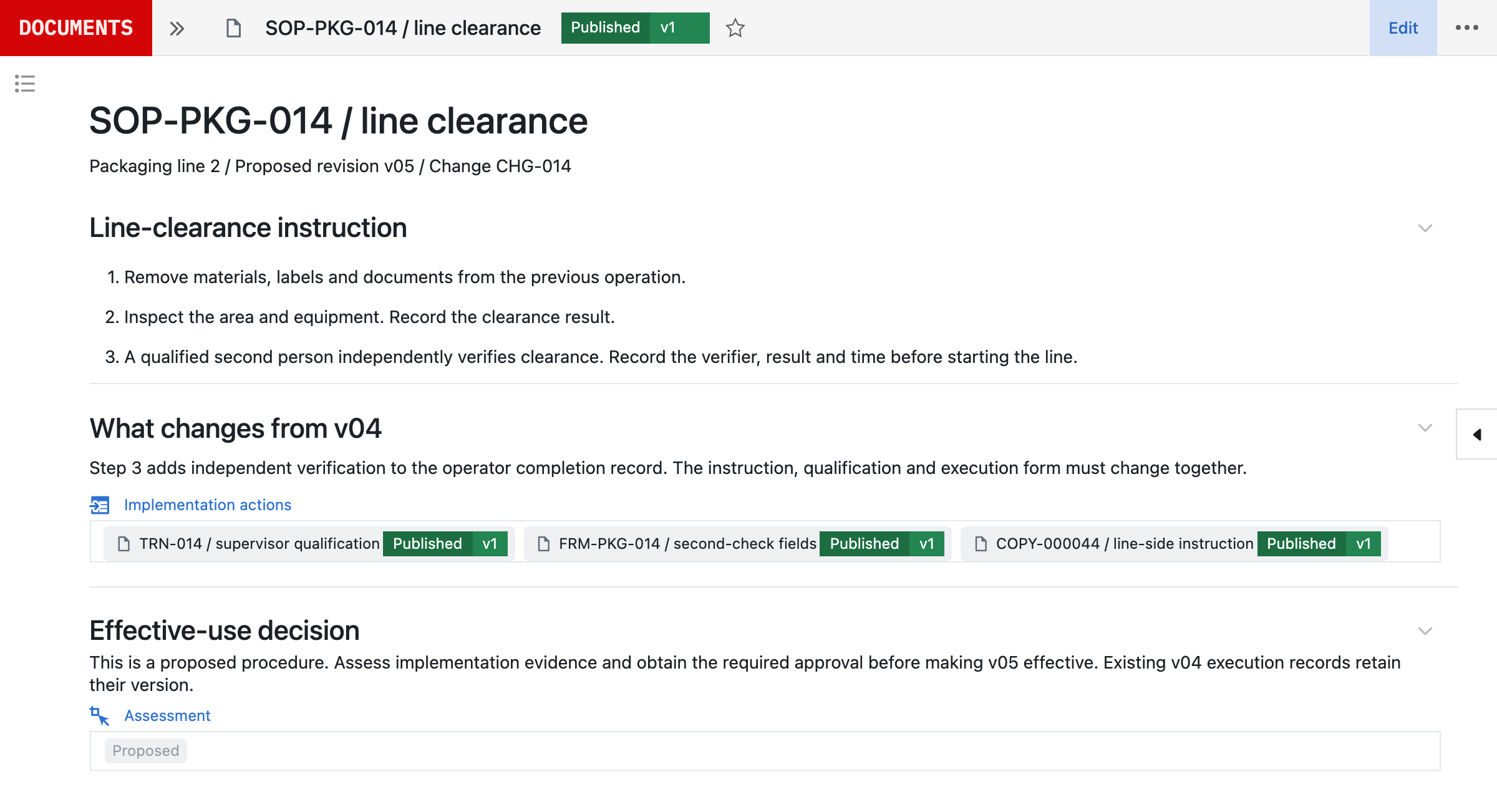
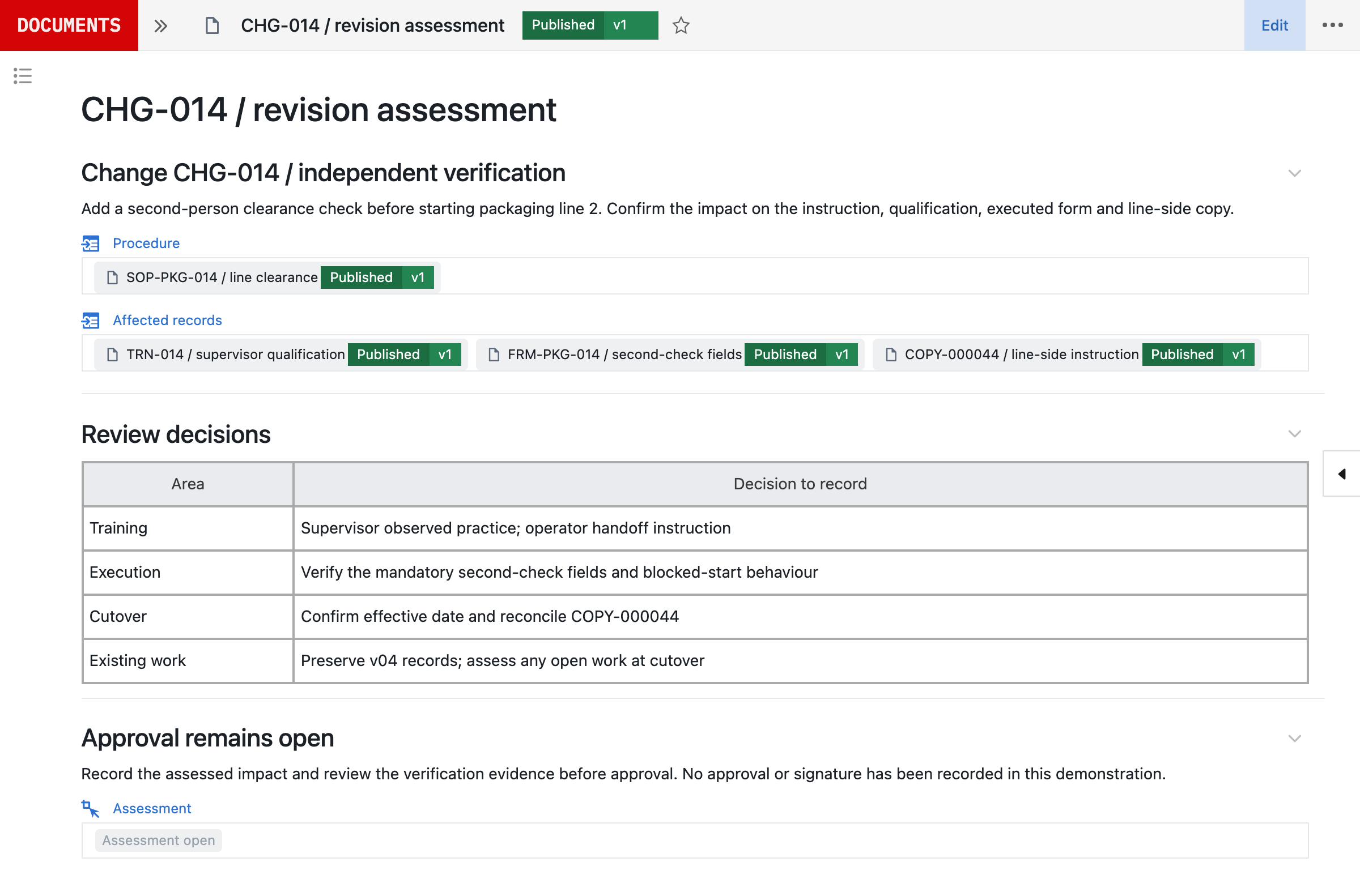
- Choose an effective SOP, a proposed revision and the form or training requirement it affects, ideally one where the change adds a step at the point of use.
- Connect the Vault library read-only for the documents that procedure references.
- Neil drafts the revision and the configured workflow, and your team checks them against how the work runs. Once the scope is agreed and the inputs received, Seal prepares the first working process and its validation pack to evaluate within 48 hours. Production timing then depends on scope, interfaces, migration and your release requirements.
- Follow the revision through approval, training and effectiveness, and test the blocked paths: a missing verifier, a failed check and a missing qualification.
- Migrate the next document family: inventory the source population, map document types and owners, preserve available versions and approval evidence, and reconcile imported records. A file upload is not an approved baseline, and missing history is not invented.
The document control blueprint describes the full lifecycle.
References
- 1Veeva QualityDocs: GxP and Quality Content Management, Veeva. https:/
/ www. veeva. com/ products/ veeva- qualitydocs/ (read 5 November 2026) - 2Veeva QualityDocs product brief, Veeva. https:/
/ www. veeva. com/ resources/ veeva- qualitydocs- product- brief/ (read 5 November 2026) - 3Veeva QualityDocs, Veeva Europe. https:/
/ www. veeva. com/ eu/ products/ veeva- qualitydocs/ (read 5 November 2026) - 4Veeva Station Manager, Veeva. https:/
/ www. veeva. com/ products/ veeva- station- manager/ (read 5 November 2026) - 5Veeva Quality Cloud, Veeva. https:/
/ www. veeva. com/ products/ quality- cloud/ (read 5 November 2026) - 6Veeva Training: LMS for GxP Compliance, Veeva. https:/
/ www. veeva. com/ products/ veeva- training/ (read 5 November 2026) - 7Veeva Vault Validation Features Brief, Veeva. https:/
/ www. veeva. com/ resources/ veeva- vault- validation- product- brief/ (read 5 November 2026) - 8Veeva Systems Inc. Form S-1 Registration Statement, U.S. Securities and Exchange Commission, 10 September 2013. https:/
/ www. sec. gov/ Archives/ edgar/ data/ 1393052/ 000119312513363152/ d541293ds1. htm (read 5 November 2026) - 9Veeva Vault Platform, Veeva. https:/
/ www. veeva. com/ products/ vault- platform/ (read 5 November 2026) - 10Announcing Veeva AI, Veeva, 29 April 2025. https:/
/ www. veeva. com/ resources/ announcing- veeva- ai/ (read 5 November 2026) - 11What’s New in 25R1, Veeva Clinical Data release notes, Veeva. https:/
/ cdmshelp. veeva. com/ gr/ rn/ general- releases/ 25r1/ whats- new/ (read 5 November 2026)
AQuestions and answers
Is Seal better than Veeva Vault QualityDocs?
Yes. Veeva Vault QualityDocs is good for GxP document management. Veeva was founded in 2007 and first sold CRM to pharmaceutical companies, and it started Vault in 2011 to manage promotional materials; its early filings said each Vault application came with a pre-built data model and pre-defined workflows for specific business processes. Veeva now lists QualityDocs as announced in 2013, status “Very Mature”, and it is still built around the controlled document, with predefined lifecycles, document types and workflows. Veeva says Vault’s data model is configured with point-and-click tools, yet it also says customers work with Veeva professional services to configure Vault to their requirements. Its AI, announced in April 2025, translates documents such as SOPs and summarises investigations and CAPA plans. If your procedures only need to be reviewed, approved and read, it can work well. Most teams need a released procedure to change the work it governs. Seal has no fixed model of one kind of work. It is built from primitives: record types, the relationships between them, and the steps and checks that use them, which your own team composes into your process, with Neil able to prepare each change for approval. So one platform runs process development, the laboratory, manufacturing, batch release and the quality system, and each change becomes a new version, released once its selected tests pass, while earlier runs keep theirs. Moving from Google Drive, Acclinate cut the time from a procedure change to everyone trained by 50%.
Is Seal an alternative to Veeva Vault QualityDocs?
Yes. QualityDocs is designed for GxP document management. Seal controls GxP documents from request through review, approval, effective date, periodic review and archival, and links each procedure to the forms, training and workflow checks it governs. A revision is verified in the work before it takes effect, rather than distributed and left to be read.
Does Seal handle training as well as documents?
Yes. A revision in Seal identifies the people trained on the previous version, decides the training each role needs and assigns it. Where the workflow has a training prerequisite, a person without the current qualification cannot complete the step that depends on it. In Veeva, retraining runs in Veeva Training, a separate application that Veeva says is unified with QualityDocs.
Can Seal use documents stored in QualityDocs?
Yes. Seal shares steady-state QualityDocs documents through its Veeva Vault library, so selected Seal groups can reference captured versions with @ in documents, comments and Neil. The library reads only; a scoped Vault API integration is needed only to exchange lifecycle states or metadata with Seal records.
Is it Vault QualityDocs or Veeva QualityDocs?
The same product. Veeva has changed its application branding from Vault to Veeva, so Vault QualityDocs now appears as Veeva QualityDocs. It still runs on the Veeva Vault Platform.
Does QualityDocs run the work a procedure describes?
No. QualityDocs is designed for GxP document management: it takes documents through their lifecycle and gives employees and partners direct access to the current version, and Veeva Station Manager shows operators the instructions for their station on a tablet. The step a revision adds is carried out and recorded in whatever system runs the work. In Seal, the procedure, its training and the step it governs are one set of records.
How does Veeva’s AI compare with Neil?
Veeva announced Veeva AI in April 2025; the AI in its Vault applications is now called Vault AI. For quality, Veeva lists a Document Translation Agent that translates documents such as SOPs, and Quality Event Agents that summarise investigations and CAPA plans; its Deviation Agent also answers questions about a deviation, and Veeva says it does not support custom objects. These agents work on the documents and records the applications already hold. Neil prepares changes to the process itself: the revised instruction, the forms, training and checks it affects, and the verification, for your team to review and approve. Neil is not used in GMP execution.
How long does it take to start with Seal?
Once the scope is agreed and the inputs received, Seal prepares a first working process and its validation pack to evaluate within 48 hours, configured from one of your procedures. Bring an effective SOP, a proposed revision and the form or training requirement it affects. Production timing then depends on scope, interfaces, migration and your release requirements.