Summary
- The story
- SharePoint is good for sharing documents and intranet sites. Microsoft launched it in 2001 as a portal server, choosing the portal category because it “was an area of a lot of buzz”,¹⁰ with check-in, version tracking and approval routing for documents.¹¹ Twenty-five years on, it is still built around the list and the document library, each with its own settings for versions, approval and drafts.² Microsoft says lists can provide quick, effective solutions with little or no modification,¹² yet for GxP it says no certification exists for Part 11, and the customer who builds the application is responsible for meeting FDA requirements.⁴ Its AI, Knowledge Agent in preview from September 2025 and Copilot in SharePoint from September 2026, answers questions and creates sites, pages, lists and libraries from a description;¹³³ each is one more part to qualify. If you have a team to build, validate and maintain that application, it can work well. Few quality teams want to build their own.
1What SharePoint offers.
Microsoft describes SharePoint as a cloud service that helps organisations share and manage content, knowledge and applications.¹ Its building blocks are lists and document libraries: a library can require content approval, keep major or minor versions, limit how many are kept and require check-out before editing.²
2Neil does the paperwork across SharePoint. You sign.
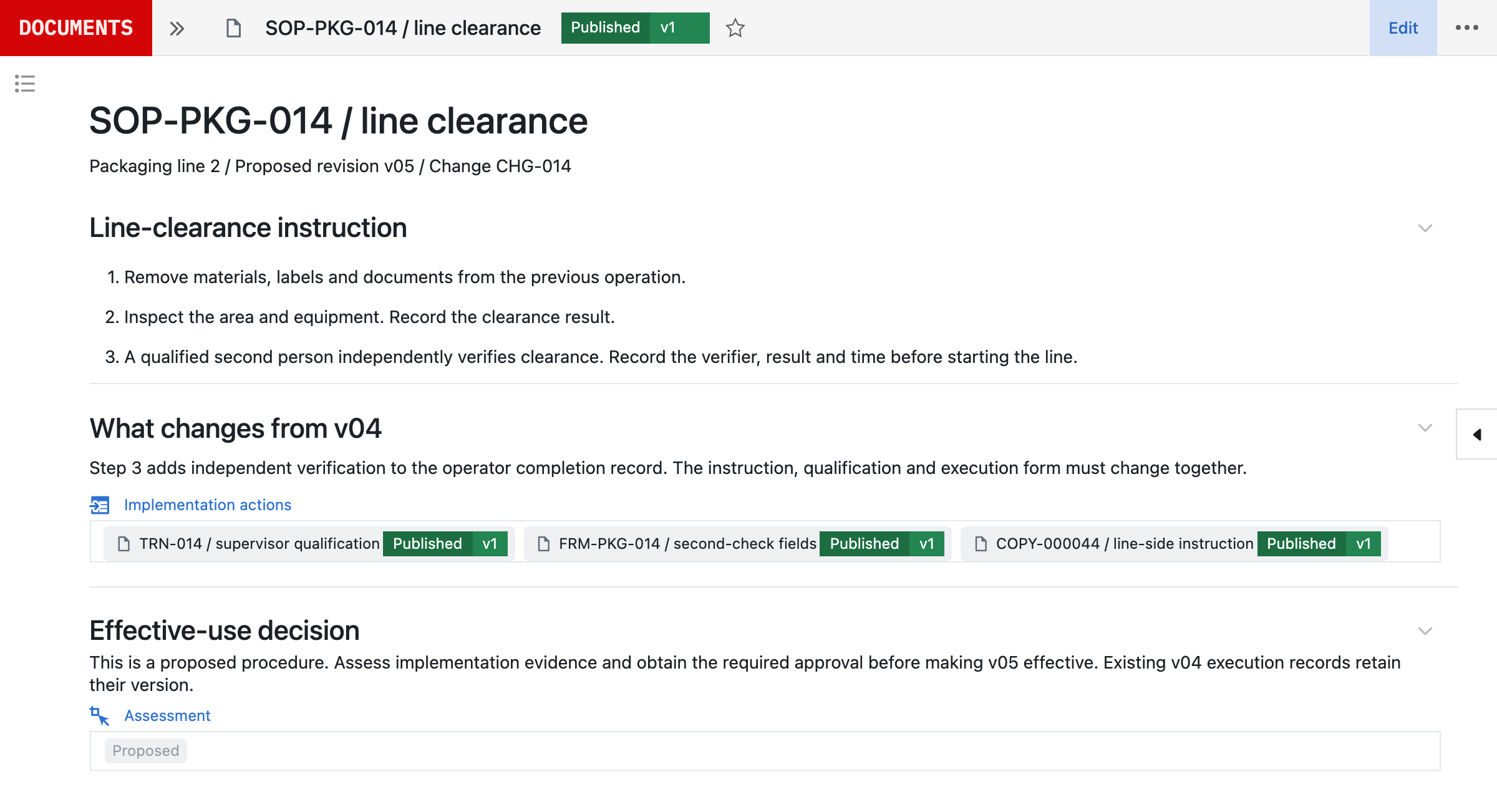
You can leave the library where it is. Seal’s SharePoint connection shares selected versioned files from a SharePoint site with chosen Seal groups, to reference in documents, comments and Neil, your AI agent. It reads only and makes no changes in SharePoint, and opening the original uses each reader’s SharePoint permissions.
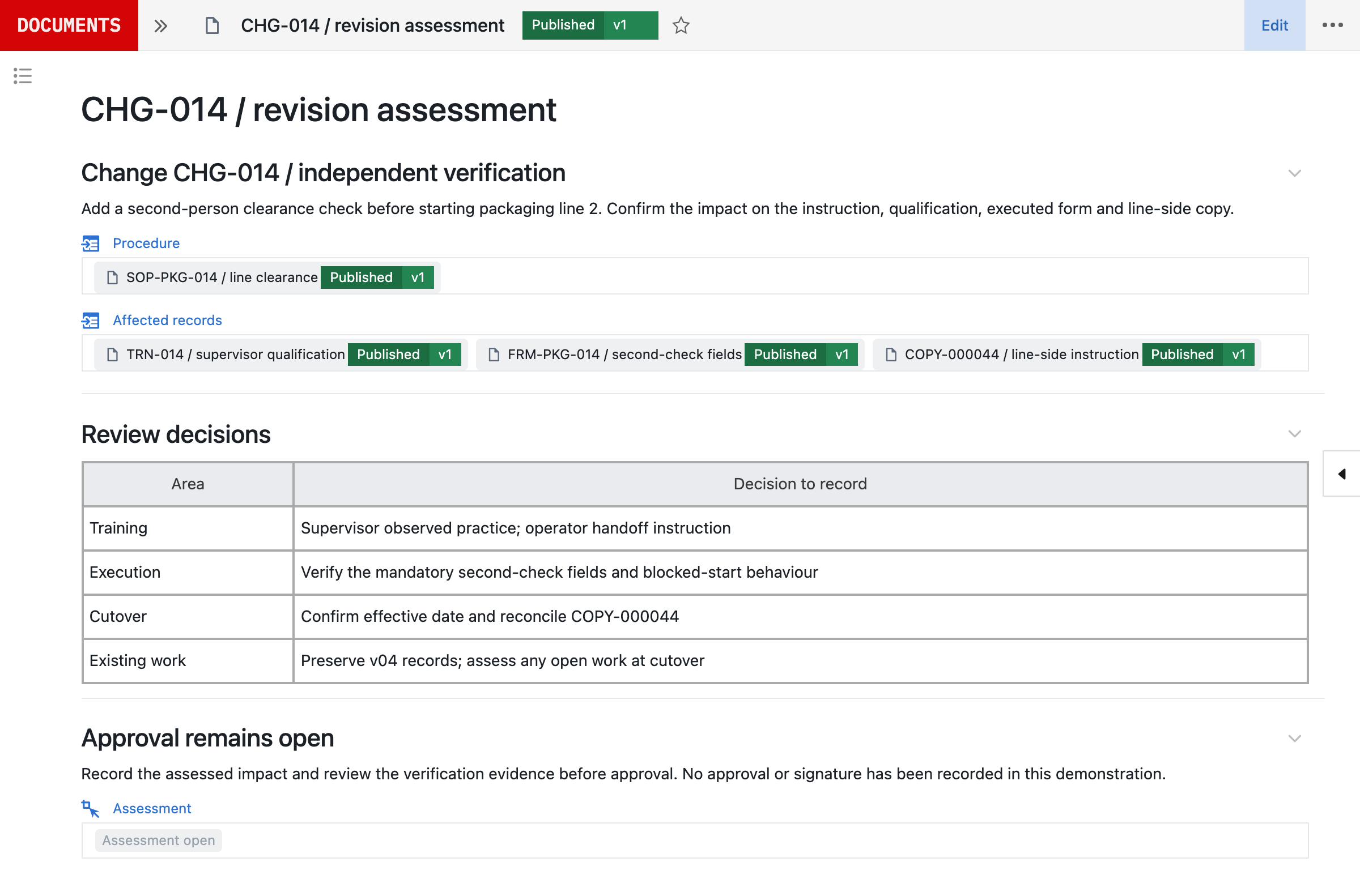
For a revision, Neil drafts the instruction from the source procedure, finds the forms, training and records it affects, and prepares the configured change with its verification for your team to review and approve. Neil is not used in GMP execution.
3Start beside SharePoint.
- Choose a procedure family where revisions keep missing the point of use, such as one whose forms or training drift after each change.
- Connect the SharePoint library read-only for the documents it references. Microsoft administrator consent may be required.
- Bring an existing revision and map it to the roles it affects. Neil drafts the configured workflow and your team checks it. Once the scope is agreed and the inputs received, Seal prepares the first working process and its validation pack to evaluate within 48 hours. Production timing then depends on scope, interfaces, migration and your release requirements.
- Follow the revision through approval, training and effectiveness before extending the workflow.
- Migrate the next family: import documents with their version history where it exists and establish controlled baselines before go-live. A file upload is not an approved baseline, and missing history is not invented.
References
- 1Introduction to SharePoint and OneDrive in Microsoft 365 for administrators, Microsoft Learn. https:/
/ learn. microsoft. com/ en- us/ sharepoint/ introduction (read 5 November 2026) - 2Enable and configure versioning for a list or library, Microsoft Support. https:/
/ support. microsoft. com/ en- us/ office/ enable- and- configure- versioning- for- a- list- or- library- 1555d642- 23ee- 446a- 990a- bcab618c7a37 (read 5 November 2026) - 3Get started with Copilot in SharePoint, Microsoft Learn, updated 25 September 2026. https:/
/ learn. microsoft. com/ en- us/ sharepoint/ copilot- in- sharepoint- get- started (read 5 November 2026) - 4Food and Drug Administration CFR Title 21 Part 11, Microsoft Compliance, Microsoft Learn, updated 4 December 2025. https:/
/ learn. microsoft. com/ en- us/ compliance/ regulatory/ offering- fda- cfr- title- 21- part- 11 (read 5 November 2026) - 5Learn about auditing solutions in Microsoft Purview, Microsoft Learn. https:/
/ learn. microsoft. com/ en- us/ purview/ audit- solutions- overview (read 5 November 2026) - 6Version history limits for document library and OneDrive overview, Microsoft Learn. https:/
/ learn. microsoft. com/ en- us/ sharepoint/ document- library- version- history- limits (read 5 November 2026) - 7Plan document versioning, content approval, and check-out controls in SharePoint Server, Microsoft Learn. https:/
/ learn. microsoft. com/ en- us/ sharepoint/ governance/ versioning- content- approval- and- check- out- planning (read 5 November 2026) - 8Overview of Microsoft Viva Learning, Microsoft Learn, updated 2 November 2026. https:/
/ learn. microsoft. com/ en- us/ viva/ learning/ overview- viva- learning (read 5 November 2026) - 9Good Clinical, Laboratory, and Manufacturing Practices (GxP), Microsoft Compliance, Microsoft Learn, updated 2 June 2026. https:/
/ learn. microsoft. com/ en- us/ compliance/ regulatory/ offering- gxp (read 5 November 2026) - 10SharePoint’s Founding Father, Jeff Teper, Talks About the SharePoint History, Vision, and Lessons Learned, SharePoint Experts blog archive, Microsoft Learn, 6 October 2009. https:/
/ learn. microsoft. com/ en- us/ archive/ blogs/ sharepointexperts/ sharepoints- founding- father- jeff- teper- talks- about- the- sharepoint- history- vision- and- lessons- learned (read 5 November 2026) - 11Microsoft Announces Branding and RC1 Availability of “Tahoe” Server, Microsoft News Center, 8 January 2001. https:/
/ news. microsoft. com/ source/ 2001/ 01/ 08/ microsoft- announces- branding- and- rc1- availability- of- tahoe- server/ (read 5 November 2026) - 12Introduction to lists, Microsoft Support. https:/
/ support. microsoft. com/ en- us/ sharepoint/ lists/ get- started- with- sharepoint/ introduction- to- lists (read 5 November 2026) - 13Introducing Knowledge Agent in SharePoint, Microsoft SharePoint Blog, Microsoft Tech Community, 18 September 2025. https:/
/ techcommunity. microsoft. com/ blog/ spblog/ introducing- knowledge- agent- in- sharepoint/ 4454154 (read 5 November 2026)
AQuestions and answers
Is Seal better than SharePoint?
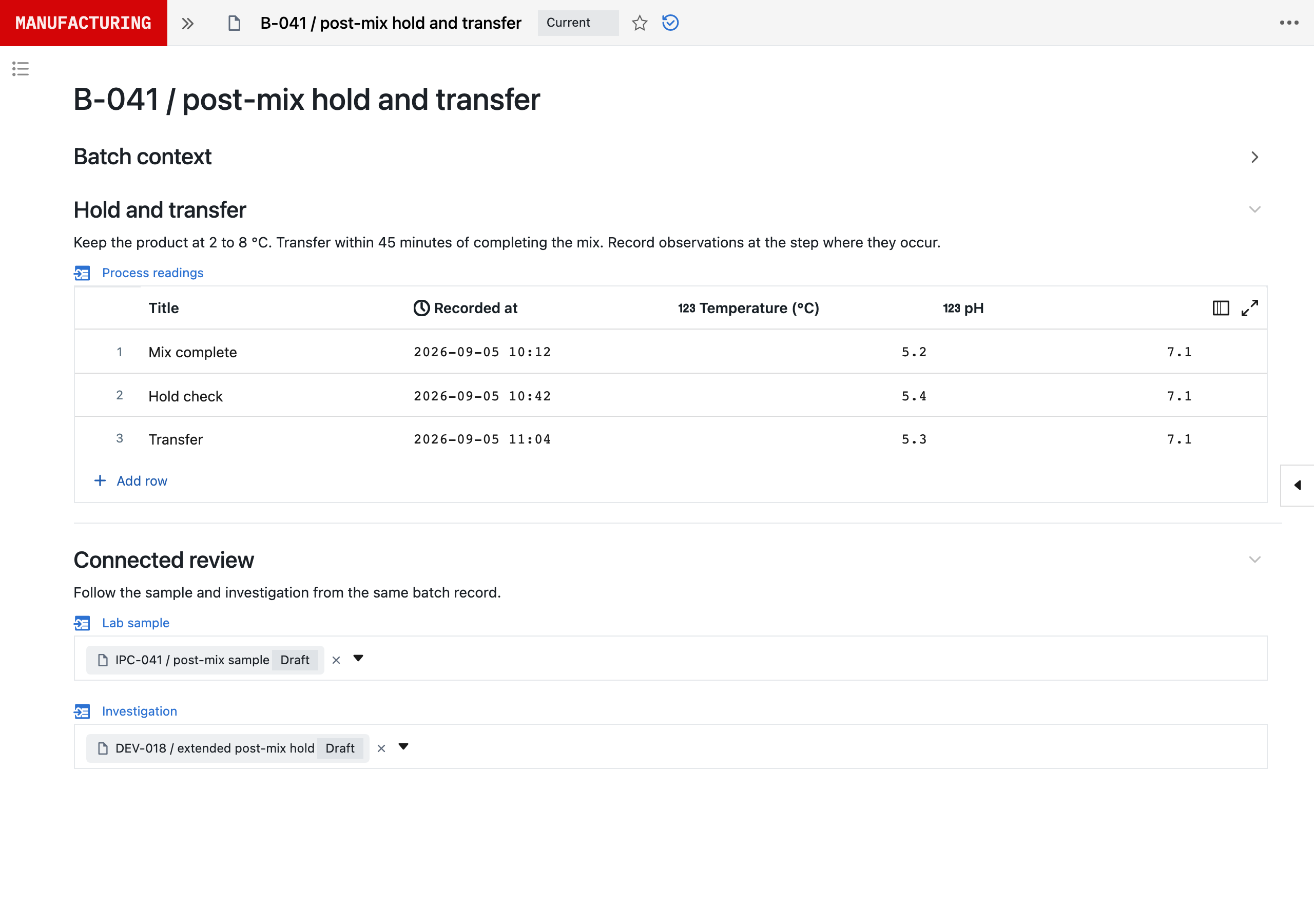
Yes. SharePoint is good for sharing documents and intranet sites. Microsoft launched it in 2001 as a portal server, choosing the portal category because it “was an area of a lot of buzz”, with check-in, version tracking and approval routing for documents. Twenty-five years on, it is still built around the list and the document library, each with its own settings for versions, approval and drafts. Microsoft says lists can provide quick, effective solutions with little or no modification, yet for GxP it says no certification exists for Part 11, and the customer who builds the application is responsible for meeting FDA requirements. Its AI, Knowledge Agent in preview from September 2025 and Copilot in SharePoint from September 2026, answers questions and creates sites, pages, lists and libraries from a description; each is one more part to qualify. If you have a team to build, validate and maintain that application, it can work well. Few quality teams want to build their own. Seal has no fixed model of one kind of work. It is built from primitives: record types, the relationships between them, and the steps and checks that use them, which your own team composes into your process, with Neil able to prepare each change for approval. So one platform runs process development, the laboratory, manufacturing, batch release and the quality system, and each change becomes a new version, released once its selected tests pass, while earlier runs keep theirs. Moving from Google Drive, Acclinate cut the time from a procedure change to everyone trained by 50%.
Do we have to move our documents out of SharePoint?
No. Seal’s SharePoint connection shares selected versioned files with chosen Seal groups, for reference in documents, comments and Neil. It reads only, and opening the original uses each reader’s SharePoint permissions. Families of procedures move when you choose.
Can SharePoint be used for GxP document control?
Only once the regulated company has configured and qualified it. Microsoft says there is no GxP certification for cloud service providers and that computerised systems used in GxP processes require validation, and for Part 11 it says customers who build and deploy applications subject to FDA regulation are responsible for meeting FDA requirements. In Seal, document control is already a governed GxP workflow.
What does approval mean in each?
With SharePoint content approval, an approved draft becomes a new major version visible to readers. In Seal, approval records agreement to a version, and a separate effective date makes it the instruction in force once training, configuration and controlled copies are ready.
How does Copilot in SharePoint compare with Neil?
Copilot in SharePoint answers questions about SharePoint content and creates sites, pages, lists, libraries and simple approvals from a description. What it builds is still SharePoint, which Microsoft leaves the regulated company to qualify. Neil prepares changes to the process configured in Seal, with the forms, training and records each change affects and its verification, for your team to approve. Neil is not used in GMP execution.
How long does it take to start with Seal?
Once the scope is agreed and the inputs received, Seal prepares a first working process and its validation pack to evaluate within 48 hours, configured from one of your procedures. Production timing then depends on scope, interfaces, migration and your release requirements.