Summary
- The story
- Tulip is good for operator apps on the factory floor. It began in 2014 as an MIT Media Lab spinoff, on the view that factory workers lacked modern digital tools,¹ and the app is still what you build, version and validate, on tables you design.⁶² Tulip says initial use cases go live in weeks and a full MES at NextPharma took nine months,⁶ and customers validate their own apps.⁸ It also says it does not replace a LIMS, and leaves document control and CAPA to your QMS.¹⁰⁸ AI Composer, from 2025, turns PDFs into guidance apps with limited logic,⁴¹¹ and an Authoring Agent that drafts apps entered customer testing in October 2026.⁵ If you have engineers to build and validate each app, and keep lab results, document control and CAPA elsewhere, it can work well. Most teams need the batch, its tests and its deviations on the same records, changed as fast as the work changes.
1What Tulip offers.
Tulip Interfaces, Inc. was founded in 2014 as a spinoff of the MIT Media Lab. It describes itself as a frontline operations platform and composable MES for pharmaceutical, medical device, aerospace and defence and discrete manufacturers.¹ Teams build apps in an editor, store their data in tables and connect machines and other systems.¹²³ Since October 2024 it has offered a Composable MES for pharma: app suites for batch records, logbooks and batch production management on an extensible data model of tables, added within its Regulated Industries tier.⁷ For batch records, Tulip suggests starting with one application, such as weigh and dispense, validating it, then expanding.⁶
On AI, Tulip launched AI Composer in April 2025 to turn work instructions and other PDFs into apps, alongside Frontline Copilot, a chat inside apps that answers operators’ questions.⁴ Composable AI Agents are in open beta.¹³ In October 2026 it announced an Authoring Agent, a chat panel in the App Editor that drafts and changes apps once an engineer approves its plan, then entering customer testing.⁵
2Running Seal alongside Tulip.
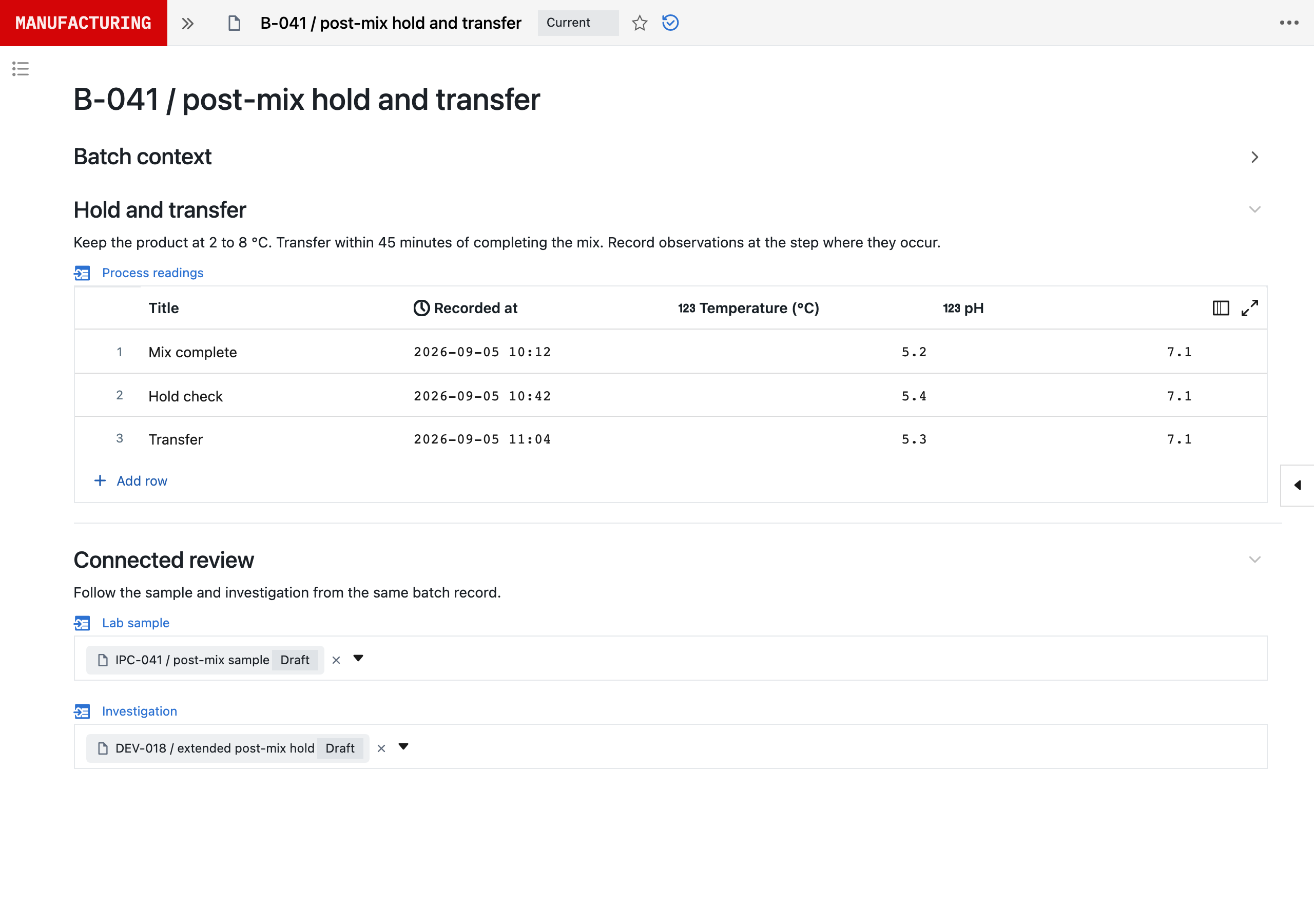
You can start without replacing Tulip. Seal’s Tulip connection reads selected rows from one Tulip table so that Neil can use them in production and quality reviews while the process moves to Seal.
Seal’s Tulip connector reads one table with an API token scoped to tables:read, and it does not write to Tulip. The connection is restricted to one workspace and table and captures each row’s record ID, sequence number, creation and update timestamps, and visible supported columns with their names and types. Hidden columns, images and files, user, machine and station details, and linked-table contents are not included. Set-up takes three steps: create a tables:read token in the intended Tulip workspace, enter the table URL and credentials in Seal’s integration settings, then search record IDs, select rows and choose the Seal groups that can see them.
Once connected, Neil can:
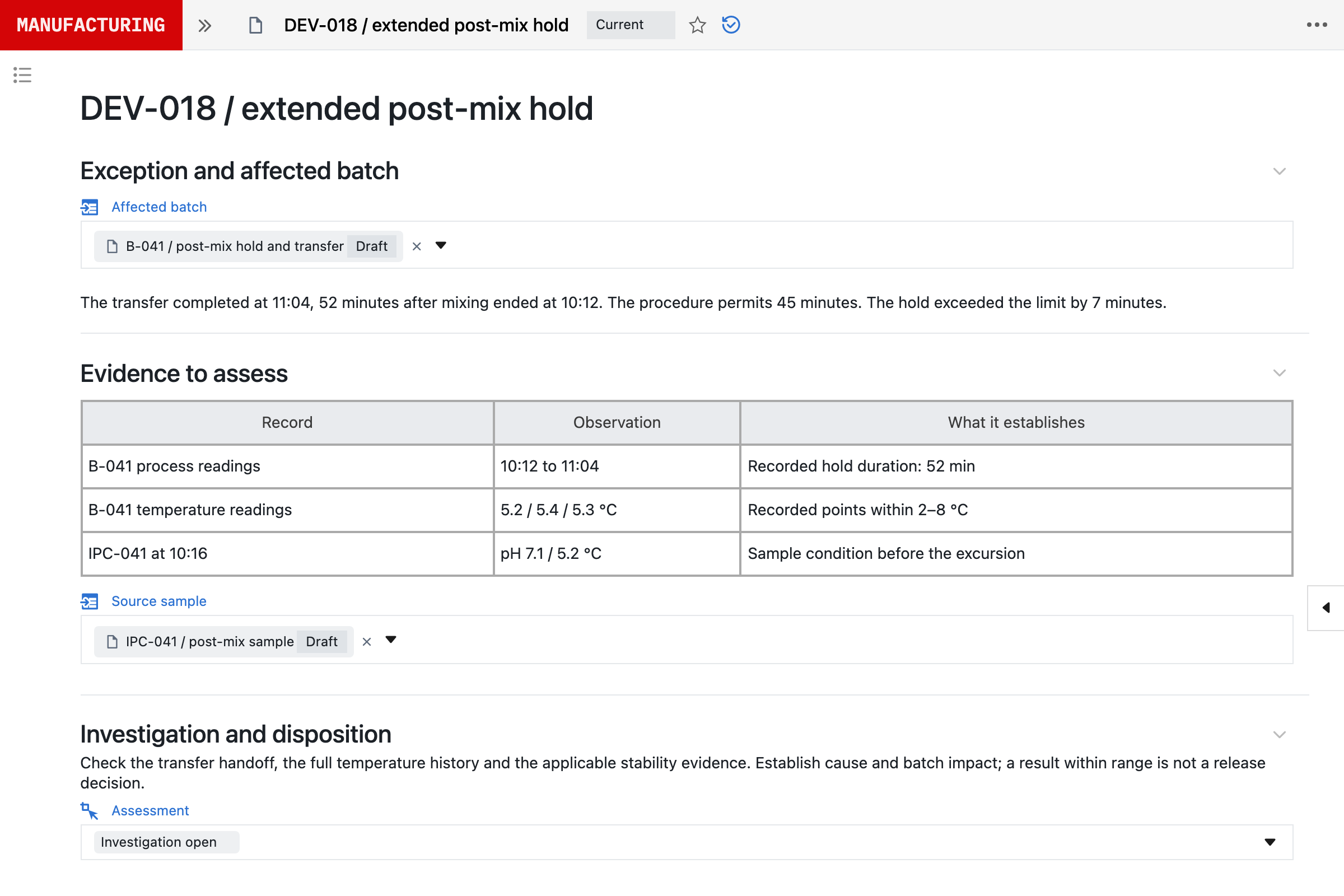
- compare selected table rows with the quality event and batch records under review;
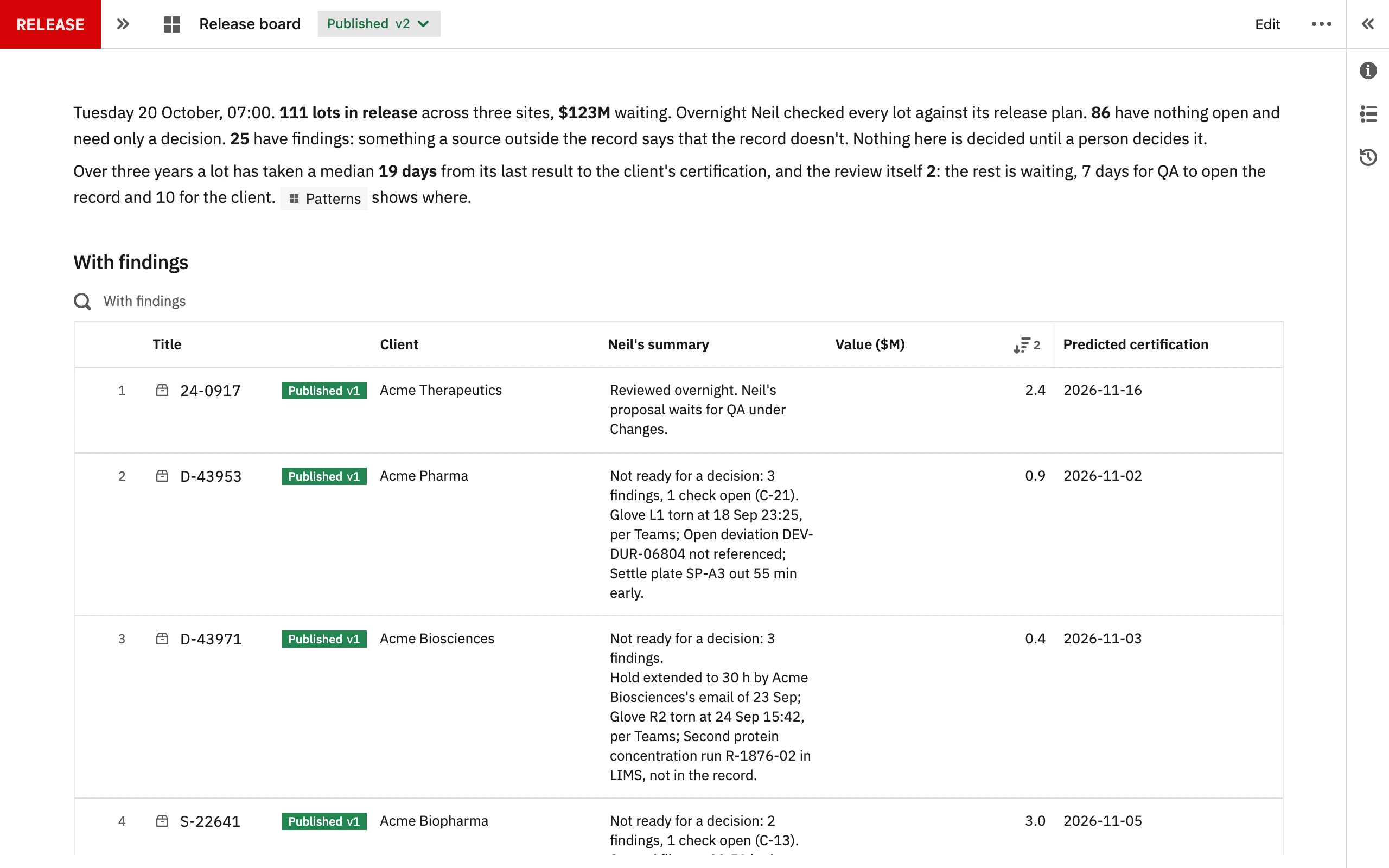
- summarise the exceptions and open items in the selected rows for a shift handover;
- compare quantities in the rows with a batch’s expected values.
Table snapshots exclude app completions, signatures and audit trails, so they should not stand in for an electronic batch record or a signed batch-release package. For anything wider, Seal’s REST API and Scripts can set up a scoped connection.
3Moving from Tulip to Seal.
Move one process first. Tulip keeps running the apps you have not moved.
- Choose a process where the batch record, laboratory results and quality events need to sit together, such as a release test or a batch with recurring deviations.
- Bring the procedure or master batch record, the Tulip apps and tables that run it today, a representative batch and the records it touches. Use sample material, or arrange an NDA before sharing confidential records.
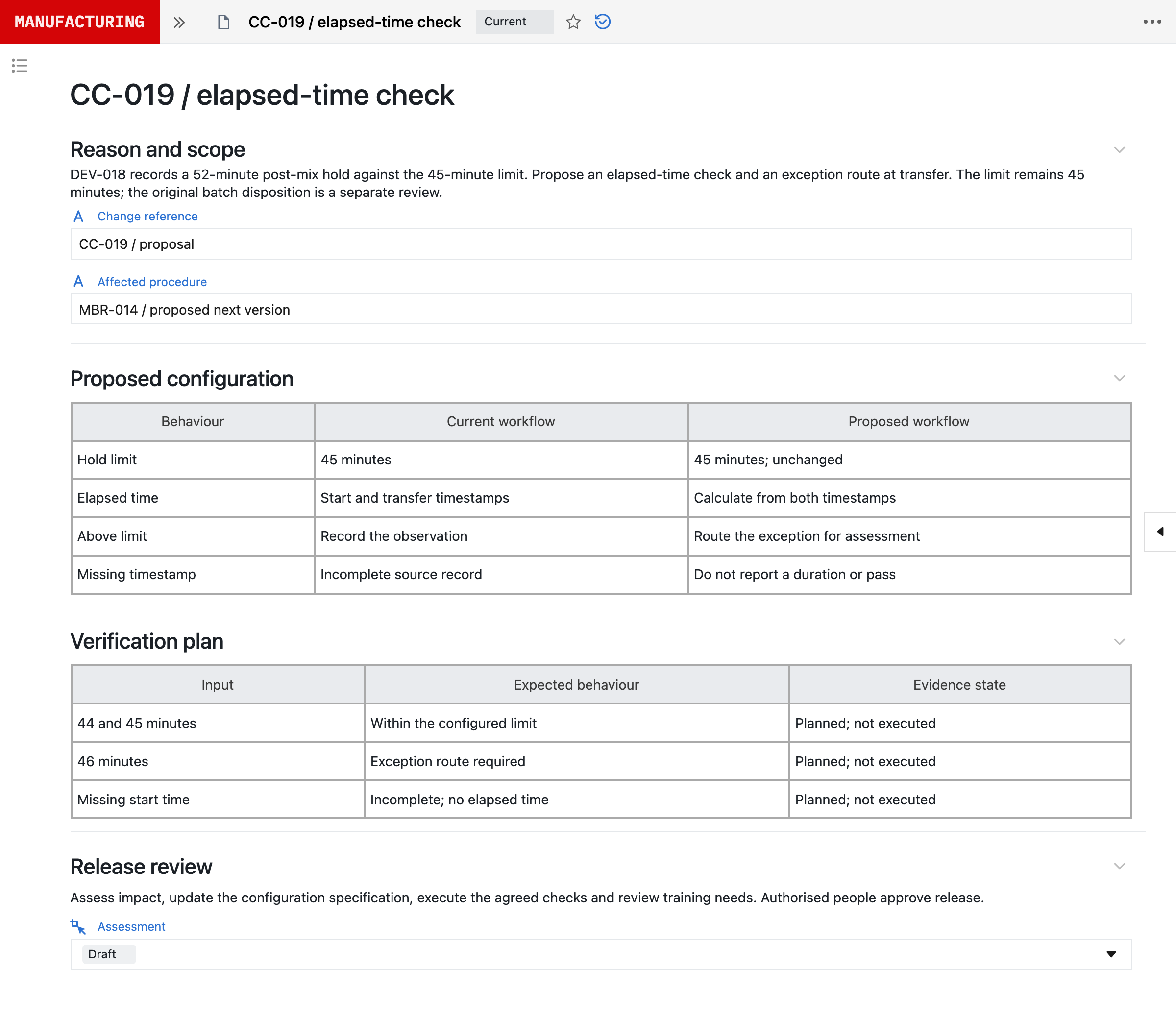
- Neil proposes the steps, fields, calculations, material and equipment requirements and review gates. Your process experts check the mapping. Once the scope is agreed and the inputs received, Seal prepares the first working configuration and its validation pack to evaluate within 48 hours.
- Connect the Tulip tables the process still needs, read-only, and agree which system is the source of record for each.
- Agree which records move and which stay retrievable in Tulip, and reconcile representative records before you rely on the new workflow.
Production timing then depends on scope, interfaces, migration, operational readiness and your release requirements. The electronic batch records blueprint describes how Seal executes and reviews a batch.
References
- 1About Tulip, Tulip Interfaces, Inc. https:/
/ tulip. co/ about- us/ (read 5 November 2026) - 2Tables, Tulip Knowledge Base. https:/
/ support. tulip. co/ docs/ tables (read 5 November 2026) - 3Table API guide, Tulip Knowledge Base. https:/
/ support. tulip. co/ docs/ table- api- guide (read 5 November 2026) - 4AI Composer announcement, Tulip, 2 April 2025. https:/
/ tulip. co/ press/ ai- composer- announcement/ (read 5 November 2026) - 6Electronic Batch Record Software, Tulip. https:/
/ tulip. co/ traceability- and- compliance/ electronic- batch- records/ (read 5 November 2026) - 7Tulip Unveils Composable MES and LTS 13, Tulip, 17 October 2024. https:/
/ tulip. co/ press/ tulip- introduces- composable- mes- to- accelerate- digital- transformation- for- manufacturers- in- life- sciences/ (read 5 November 2026) - 8Pharmaceutical Manufacturing Software, Tulip. https:/
/ tulip. co/ industries/ pharma- manufacturing/ (read 5 November 2026) - 9Pricing and Plans, Tulip. https:/
/ tulip. co/ pricing/ (read 5 November 2026) - 10Laboratory Execution System, Tulip. https:/
/ tulip. co/ solutions/ laboratory- execution- system/ (read 5 November 2026) - 11Tulip AI Composer, Tulip Knowledge Base. https:/
/ support. tulip. co/ docs/ tulip- ai- composer (read 5 November 2026) - 12Author Powerful Solutions for Your Operations, Tulip. https:/
/ tulip. co/ platform/ app- editor/ (read 5 November 2026) - 13Tulip AI Agents, Tulip Knowledge Base. https:/
/ support. tulip. co/ docs/ tulip- ai- agents (read 5 November 2026)
AQuestions and answers
Is Seal better than Tulip?
Yes. Tulip is good for operator apps on the factory floor. It began in 2014 as an MIT Media Lab spinoff, on the view that factory workers lacked modern digital tools, and the app is still what you build, version and validate, on tables you design. Tulip says initial use cases go live in weeks and a full MES at NextPharma took nine months, and customers validate their own apps. It also says it does not replace a LIMS, and leaves document control and CAPA to your QMS. AI Composer, from 2025, turns PDFs into guidance apps with limited logic, and an Authoring Agent that drafts apps entered customer testing in October 2026. If you have engineers to build and validate each app, and keep lab results, document control and CAPA elsewhere, it can work well. Most teams need the batch, its tests and its deviations on the same records, changed as fast as the work changes. Seal has no fixed model of one kind of work. It is built from primitives: record types, the relationships between them, and the steps and checks that use them, which your own team composes into your process, with Neil able to prepare each change for approval. So one platform runs process development, the laboratory, manufacturing, batch release and the quality system, and each change becomes a new version, released once its selected tests pass, while earlier runs keep theirs. Moving from paper, Skye Biologics increased throughput by 35% and cut non-conformances by 40%.
Is Seal an alternative to Tulip?
Yes. Seal runs electronic batch and device history records with material, equipment and training checks at the step, on the same platform as laboratory testing, deviations, CAPA, change control and training. In Tulip your team builds or adapts those records as apps on tables, and validates each app; in Seal your team composes the process from primitives, with signatures and audit trails built in, and each change is released once its selected tests pass.
Is Seal an MES?
Yes. Seal executes GMP manufacturing from a versioned master batch record, with in-process results linked to their specifications and review by exception, and keeps device history records for each serial. Paradromics, Skye Biologics and MiAlgae run their manufacturing records on Seal.
Is Tulip an MES?
Tulip is designed for frontline operations. It describes itself as a frontline operations platform and composable MES, on which teams build batch records, logbooks and other workflows as apps on Tulip tables and connectors, often starting with one application and expanding. Seal is an MES with laboratory and quality management on the same records, configured rather than built.
How does Tulip’s AI compare with Neil?
Tulip’s AI Composer, launched in 2025, turns PDF work instructions into guidance apps, and Frontline Copilot is a chat inside apps for operators. Its Authoring Agent, announced in October 2026 and then entering customer testing, drafts and changes apps once an engineer approves the plan, and in Tulip’s words it starts with apps. Neil prepares changes to the process itself, with their tests, for your approval, and each change is released as a new version. Neil is not used in GMP execution.
Can Seal connect to Tulip?
Yes. Seal’s Tulip connector reads selected rows from one Tulip table with an API token scoped to tables:read, and it does not write to Tulip. It captures record IDs, sequence numbers, timestamps and visible supported columns, but not app completions, signatures or audit trails.
Can Tulip table rows stand in for a batch record in Seal?
No. Table snapshots exclude app completions, signatures and audit trails, so a status column is not evidence that a step was completed or signed. Use them as evidence in an investigation or review, not as a signed batch-release package.
How long does it take to start with Seal?
Once the scope is agreed and the inputs received, Seal prepares a first working configuration and its validation pack to evaluate within 48 hours, configured from one of your procedures or master batch records. Production timing then depends on scope, interfaces, migration, operational readiness and your release requirements.