Summary
- The problem
- During an inspection, each request becomes a search across systems, and it is hard to show later exactly what was provided and why.
- Seal’s approach
- Evidence is retrieved from connected records with their history. Requests, scope, packages, redactions and delivered evidence are logged, and observations become tracked commitments.
- Evidence
- Acclinate: 40% less time preparing for audits.
- Where to start
- One scope, such as a recent batch, with a timed mock request to find the slow or incomplete retrievals. Book a demo.
1Inspections test whether you can show the work.
An inspector asks for the batch record for lot 2024-0847. Someone leaves the room and returns twenty minutes later with a printout, uncertain whether it is the right version or complete. The same scene repeats many times during an inspection, and each retrieval takes time away from reviewing the quality system itself.
Observations can concern the records as well as the work: evidence that was not readily available, was incomplete or could not be tied to a version, even when the work was done correctly. Readiness means knowing what was asked, what scope applies, which evidence answers it and exactly what was shared.
“Show me batch record 2024-0847.”
From a binder
- Leave the room and find the binder.
- Locate the correct version.
- Check nothing is missing.
From linked records
- Search and open the record, with its steps, signatures and deviations.
2Retrieve the complete record, not a copy of it.
A request for batch record 2024-0847 is handled as a governed retrieval of the effective record, which carries its steps, signatures, deviations, results and decisions. From the batch, the reviewer can open the deviation, the CAPA, the training record of the analyst who ran an OOS test and the calibration status of the balance used in step 4.
Some requests do not map to one record type: “Show me everything related to the contamination event last quarter.” The same event may appear as an environmental-
Fast retrieval shows that the organisation knows its records, but speed is only one control. Scope, completeness, version, confidentiality, review, approval and a durable record of what was provided matter as much.
2.1Why teams choose Seal for audit readiness
During an inspection, each request can become a project of its own: records gathered from each system by hand, printed or exported, and checked for version and completeness while the inspector waits. Evidence in Seal is retrieved from connected records with their history, not rebuilt from exports, because the batch, the deviation, the training and the change already share one record. The request log, the package delivered and the observations that follow stay linked, so the organisation can show what was asked and what was shared.
| Records gathered for the inspection | Seal | |
|---|---|---|
| Retrieval | Searched across systems, often printed | Opened from linked batch, deviation, training and equipment records |
| Point-in-time status | Reconstructed from dates by hand | Training and calibration status evaluated for the date of the work |
| What was shared | Recalled from email and copies | Packages retained with source versions, reviewers and recipients |
| Observations | A response letter and a task list | Commitments, CAPA and verification linked to the finding |
3Define packages by scope, not by document list.
Inspectors ask predictable questions: training for the personnel who worked on a batch, qualification of the instruments used, deviation history for the product line, CAPA effectiveness and environmental monitoring during manufacture.
Audit scope
Batch 2024-0847
Complete batch documentation
Evidence package
- Batch record
- 47 steps, all signed
- Test results
- 14 QC tests
- Deviations
- 2, both closed
- Equipment
- Calibration current
- Personnel
- 12 operators, trained
- Materials
- 8 lots, all released
- Release
- QA approved, CoA attached
- Audit trail
- Complete history
Seal lets you define a package by its scope, such as all documentation for batch 2024-0847, rather than a fixed list of documents. The package is populated from the records that exist for that scope, so a deviation recorded yesterday or a calibration certificate issued this morning is included when the package is next generated. Review the package before it is shared; once delivered, it is fixed, as the live-inspection section below describes.
4Answer from the record’s history.
When an inspector asks who approved a change, when and what the previous value was, the audit trail should answer from the record itself.¹ Each modification, approval and signature is attached to the record with its time and user. The previous value was 100°C; at 2:47 PM on 15 March, J. Smith changed it to 105°C under change control CC-0234, which opens from the same history.
“Was this analyst qualified to perform this test when they performed it?” Current training status is easy to look up; historical status requires knowing what was required and completed on a past date. Seal retains the dates and versions needed to answer for the date of the work. J. Smith completed training for HPLC-001 on 28 February, valid to 30 June, so on 15 March the analyst was qualified. The same applies to equipment: the balance used for lot 2024-0847 was calibrated on 1 February and due on 1 April, so calibration was current when it was used.
Inspectors also want to see that corrective actions worked, not only that deviations were closed.² Seal links the deviation through investigation, root cause, CAPA, action and effectiveness review to the monitoring data. Asked how a CAPA was shown to be effective, the team can open the effectiveness record, the data behind it and the deviation that started the chain.
5Govern the live inspection.
Readiness starts with scope: the authority or customer, inspection type, sites, systems, products, periods, prior commitments and subject-matter owners. A readiness assessment lists, for each requirement, the expected evidence, its owner and source, and any known gap, with an action to close it.
During the inspection, each request keeps its verbatim wording, agreed interpretation, owner, candidate evidence, redactions, response and delivery. The front room records the question and the interpretation. The back room searches, checks scope, verifies versions and routes the proposed response. Both see status and delivered evidence according to role.
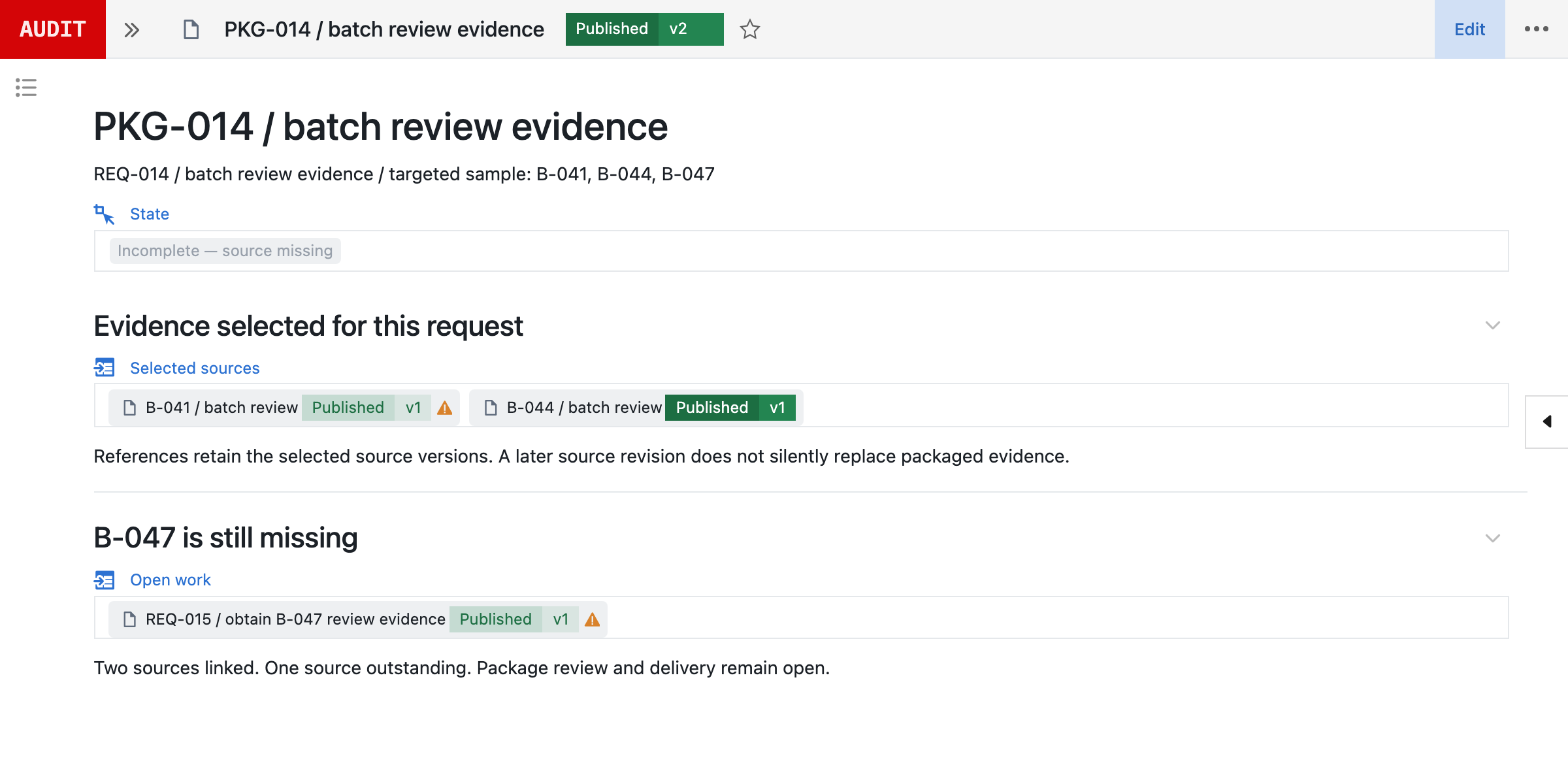
A delivered package retains its source record versions, as-of time, rendered files, redactions, reviewers, approvers, a hash, recipient and acknowledgement. A later change to a source record does not alter what was shown; a replacement package records the difference and the reason. Personal data, patient information, trade secrets and unrelated products can be redacted, restricted or separately approved, and each view, export and delivery is logged.
Observations create commitments. The finding, cited requirement, response, interim controls, CAPA, owners and verification remain connected, and an action is not treated as closed because a response letter was sent.
6Rehearse with the same workflow.
Mock inspections use the same request log and package workflow as a real one. Simulate requests, time the retrievals, review the evidence and practise the response. Slow or ambiguous retrievals are the gaps to fix. A targeted exercise works too: if an inspector asked about the sterility assurance programme, generate the package you would show, review it and close the gaps while there is time.
7Make readiness part of normal operation.
Audit management plans and runs internal, supplier and external audits through findings and closure. Inspection readiness prepares the organisation and governs live requests, point-in-time evidence, delivered packages, observations and commitments. Seal connects the two through prior findings, open actions and evidence without merging the workflows.
Each mock inspection, readiness assessment, live request, missing record and observation feeds improvement work with an owner. The aim is a quality system whose records, relationships and decisions can be shown during normal operation, without a special retrieval effort.
Start with one scope, such as a recent batch or a single system. Run a timed mock request against it, review what was slow or incomplete and fix those gaps first.
References
- 121 CFR 11.10, Controls for closed systems: procedures and controls must include system validation, limiting access to authorised individuals, and secure, computer-generated, time-stamped audit trails that record operator entries and actions without obscuring previously recorded information. eCFR
- 2ICH Q10, Pharmaceutical Quality System (2008), sections 3.2.2 (corrective and preventive action) and 3.2.3 (change management). ICH
AConnected across Seal
BCapabilities
| Capability | What it covers |
|---|---|
| Document retrieval | Search by batch, product, date range and personnel, and open the linked record behind each answer. |
| Pre-assembled packages | Define a package by scope, such as all documentation for a batch, and populate it from the records that exist for that scope. Review it before it is shared. |
| Record audit trails | Each modification, approval and signature is attached to the record with its time and user, and links to the change control behind it. |
| Point-in-time verification | Evaluate training and calibration status for the date of the work, using the requirements and records in force at that time. |
| CAPA effectiveness evidence | Link the deviation through investigation, root cause, CAPA and effectiveness review to the monitoring data behind the conclusion. |
| Natural language search | Ask a question such as 'show me the records related to the March contamination' to bring together the records linked to that event. Review the results for completeness before relying on them. |
| Request logging | Log each request with its verbatim wording, agreed interpretation, owner, response time and the evidence delivered. |
| Mock inspections | Run simulated requests through the same request log and package workflow as a real inspection, and time the retrievals to find slow or incomplete evidence. |
CConnected records
DQuestions and answers
How do pre-assembled packages stay current?
A package is defined by scope, such as all documentation for a batch, rather than a fixed document list. It is populated from the records that exist for that scope, so a deviation recorded yesterday is included when the package is next generated. Once delivered, the package is fixed.
Can auditors access the system directly?
You can give auditors read-only access scoped to what they need to see. Their searches, views and exports are logged.
What about paper records that aren’t in the system?
Historical paper records can be scanned and linked to the relevant digital records, so they appear in the packages for that scope. Many teams digitise records as they are requested rather than scanning an entire archive at once.
How does point-in-time verification work?
Seal retains the dates and versions needed to answer for the date of the work. Asked whether an analyst was qualified for a method on a given date, it evaluates the training that was required and completed at that time, not the current status.
Can we track audit observations and responses?
Yes. Observations, such as Form 483 items or audit findings, are logged with the cited requirement and your response commitments. Follow-up actions link to CAPA, and verification evidence links back to the original observation. An action is not treated as closed because a response letter was sent.
How is this different from audit management?
Audit management plans and runs internal, supplier and external audits through findings and closure. Inspection readiness prepares the inspected organisation and governs live requests, point-in-time evidence, delivered packages, observations and commitments. Seal connects the two without merging the workflows.
Can a delivered package change when source records change?
No. A delivered package retains its source record versions, as-of time, rendered files, redactions, approvers, hash and recipient. A later correction creates a replacement package that records the difference and the reason.
How are ambiguous auditor requests handled?
The verbatim wording is retained. The team records the clarification, agreed interpretation, scope, owner and evidence plan, and the response is approved before delivery.
How do you handle confidential information during audits?
Personal data, patient information, trade secrets and unrelated products can be redacted, restricted or separately approved, while the quality records auditors need remain visible. Each view, export and delivery is logged.